8 Best Home Scanners for Family Photos (October 2026)
The best home photo scanners for family pictures include the Epson FastFoto FF-680W for large photo batches, the Epson Perfection V850 Pro for film and fine detail, and the Epson Perfection V39 II for versatile flatbed scanning.
On this page (4 sections)
The Epson FastFoto FF-680W is the best home scanner for photos when you need to digitize a large stack quickly. For occasional scanning, an Epson V39 II or Canon LiDE flatbed gives you a simple way to scan prints, books and documents on one desk.
A family photo scanner should fit the way you plan to work. A feeder can reduce the time spent placing prints one by one, while a flatbed gives you more control over each photo and also handles books or artwork.
Start with our plain guide to home scanner types if you are still deciding between a dedicated photo scanner and an all-purpose model. If the pile is mostly loose family prints, compare the best auto-feed photo scanners as well.
Our picks at a glance
-
1

-
2

-
3
Which home photo scanner fits your photo pile?
The FastFoto FF-680W is the strongest fit for a large stack, while the V39 II is a flexible flatbed for mixed home projects. Choose a film capable model if your family archive also includes slides or negatives.
Epson FastFoto FF-680W: Best for large photo batches
- Batch scans up to 36 photos
- Scans 4 x 6 photos at 300 dpi as quickly as 1 photo per second
- Captures both sides in one scan
- Wi-Fi and USB connectivity
A feeder and batch scanning help you move through a large photo box faster than placing prints one by one. It can capture handwritten notes on the back in the same scan.
Pros
- Batch scans up to 36 photos
- Captures both sides of a photo
- Includes auto enhancement and color restoration
Cons
- Feed design may not suit every fragile or curled print
- Larger setup than a slim flatbed
The FastFoto FF-680W is built around batch scanning. Epson says it can scan up to 36 photos in a batch and reach 1 photo per second at 300 dpi for 4 x 6 prints, which makes it the clearest fit here for a sizeable box of loose photographs.
It can capture the image and handwritten notes on the reverse in one scan. The app can add voice or text to photos and create slideshows, while the scanner includes auto enhancement, color restoration, red-eye reduction, cropping, rotation and deskewing.
The flexible photo handling includes Polaroids, panoramas, postcards and prints up to 8 x 10 in. Epson also includes a carrier sheet for scanning delicate photos, but check its guidance before feeding prints that are damaged, stuck together or unusually curled.
Choose it for a large collection of loose prints, especially if notes on the back matter to your family. Its feeder makes less sense if you scan only a few photos now and then.
Epson Perfection V850 Pro: Best for film and fine detail
- 6400 dpi resolution
- CCD sensor
- Dual lens system
- Film holders included
This flatbed is aimed at careful photo and film archiving, with a dual lens system and film holders. Its larger body and computer connection suit a dedicated scanning space.
Pros
- High resolution for detail work
- Dual lens system
- Includes film holders
Cons
- Heavier and larger than basic flatbeds
- USB connection only
The V850 Pro suits a home archive that includes film and slides as well as prints. Epson describes it as a photo scanner with 6400 dpi resolution, a dual lens system, CCD sensor and included film holders.
That makes it the specialized option in this group for buyers who want a flatbed workflow for film and detailed photo archiving. Its listed connection is USB, and its 20.9 lb weight and wider body suggest setting aside a dedicated spot rather than moving it between shelves.
Epson says the dual lens system selects between two lenses for scanning. The provided product details describe film and photo use, but do not specify the supported film sizes, so confirm compatibility with your collection before choosing it.
For family prints alone, the FastFoto feeder or a simpler flatbed may be easier to fit into your routine. For a film-first project, read our guide to scanning negatives at home and the best way to digitize slides.
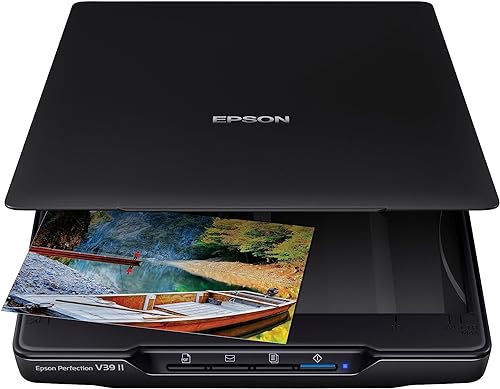
Epson Perfection V39 II: Best for versatile flatbed scanning
- 4800 dpi optical resolution
- One-touch buttons
- Removable high-rise lid
- Easy Photo Fix color restoration
A compact flatbed handles loose prints along with books, artwork and documents. The removable lid helps accommodate bulky items, and Easy Photo Fix can restore color to faded photos.
Pros
- High optical resolution
- Works with books and artwork
- One-touch scanning
Cons
- Scans prints one at a time
- USB connection only
The V39 II is the most flexible flatbed choice for a home desk that handles photos, books and artwork. Its 4800 dpi optical resolution gives you room for detailed scans, and its one-touch buttons simplify everyday use.
The removable high-rise lid helps accommodate bulky items such as books and photo albums. Epson also includes Easy Photo Fix for restoring color to faded photos, along with software for stitching oversized images and sending scans to cloud storage services.
This scanner connects by USB and scans prints one at a time. That tradeoff works well when you care more about handling varied originals than moving through a large photo box at feeder speed.
For a scan workflow that saves time on the computer too, see how to scan old photos to a computer. The process includes decisions about file names, storage and backups, not just the scanner itself.
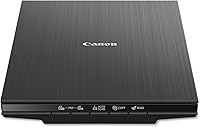
Canon CanoScan LiDE 400: Best for a simple photo and document desk

- 4800 x 4800 dpi resolution
- USB Type-C data and power
- Color restore and dust removal
- EZ buttons
This slim flatbed pairs photo scanning with everyday document tasks. Its USB cable handles both power and data, while built-in buttons provide quick scan options.
Pros
- Color restore and dust removal
- USB Type-C power and data
- Fast scans and EZ buttons
Cons
- No Wi-Fi
- Scans prints one at a time
The LiDE 400 is a good fit for someone who wants photo scanning plus basic document work in a slim flatbed. It scans at 4800 x 4800 dpi and includes color restoration and dust removal features.
Its USB Type-C cable handles both power and data, and Canon lists a maximum document size of 8.5 x 11.7 in. EZ buttons offer quick scan options, including a button for multi-page PDFs, so the scanner can stay useful after the photo project ends.
This model has no Wi-Fi, so plan to connect it by cable to your computer. It scans one item at a time, which makes it a better match for smaller batches than a large box of prints.
If you are weighing compact flatbeds, our Canon LiDE 300 vs LiDE 400 comparison explains where the two models differ. For photo-only use, the LiDE 400's higher stated resolution and image enhancement features make it the more capable of the pair.
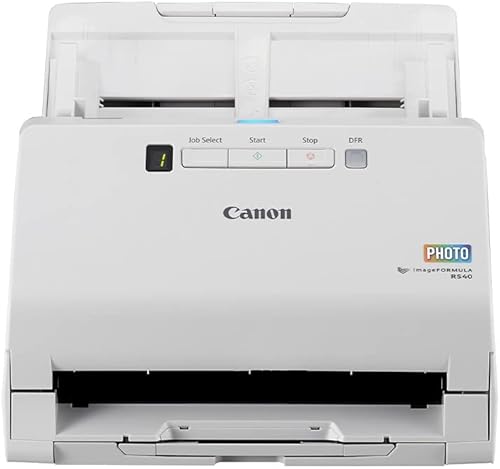
Canon imageFORMULA RS40: Best for mixed photo and paper batches
- Automatic feeder
- Scans both sides
- Handles photos and documents
- Includes photo enhancement software
The automatic feeder can handle varied photo sizes alongside documents, receipts and cards. Choose it when you want a shared photo and paper workflow.
Pros
- Scans both sides of items
- Handles varied media
- Supports Windows and Mac
Cons
- USB connection only
- A feeder needs suitable prints and careful loading
The imageFORMULA RS40 suits households that want one feeder for photos and paper records. Its automatic feeder handles varying photo sizes alongside receipts, cards and documents, and it can scan both sides of items.
Canon says the scanner can process up to 40 items per minute and includes software for photo enhancement, red-eye correction and face smoothing. It supports Windows and Mac, connects over USB, and can save common photo formats along with PDF and other document formats.
A feeder is useful when you have a stack of prints in suitable condition, but it gives you less control than a flatbed over each original. Consider a flatbed for delicate prints or when you want to scan books and album pages.
Plustek ePhoto Z300: Best for feeding loose prints quickly

- Scans 4 x 6 photos in 2 seconds at 300 dpi
- Supports up to 8 x 10 in
- CCD sensor
- Photo enhancement tools
Feed prints one by one instead of opening and closing a flatbed lid for every scan. Its stated photo sizes cover common family prints through 8 x 10 in.
Pros
- Fast 4 x 6 photo scanning at 300 dpi
- Supports several print sizes
- Includes image enhancement functions
Cons
- Scans one item at a time
- USB connection only
The ePhoto Z300 makes sense when you have many loose prints in common sizes and want to feed them one by one. Plustek says a 4 x 6 photo takes 2 seconds at 300 dpi, and the scanner supports 3 x 5, 4 x 6, 5 x 7 and 8 x 10 in prints.
It offers 300 dpi and 600 dpi settings, a CCD sensor and image enhancement functions for faded photos. Unlike a flatbed, you do not need to lift a lid for each image, though you still feed each photo individually.
The listed connection is USB. Choose a different type if you need wireless scanning or want to digitize film, slides or pages in an album.
Epson Perfection V19 II: Best for occasional home scans

- 4800 dpi optical resolution
- One-touch buttons
- USB-powered
- Easy Photo Fix color restoration
This compact flatbed keeps scanning simple for a small number of prints, with one-touch buttons and color restoration for faded photos. It also scans books and documents.
Pros
- High optical resolution
- USB-powered
- Removable lid for bulky items
Cons
- Scans prints one at a time
- No stated cloud scanning feature
The V19 II is a simple flatbed for occasional photo scans and everyday home documents. It has 4800 dpi optical resolution, one-touch buttons and Easy Photo Fix to restore color to faded prints.
Its removable high-rise lid accommodates bulky items such as books and photo albums. USB power keeps the setup straightforward, and the built-in kickstand supports vertical placement when you need to store it away.
This model scans one item at a time, so a large photo box will take patience. Choose it when a small flatbed is enough for occasional prints, artwork and paper.
Canon CanoScan LiDE 300: Best for basic photo digitizing

- 2400 x 2400 dpi optical resolution
- Auto Scan Mode
- USB connection
- Fade correction and dust reduction
A straightforward flatbed option for buyers who want to digitize prints and everyday documents. Auto Scan Mode detects the item type and adjusts scan settings.
Pros
- Auto Scan Mode
- Fade correction and dust reduction
- Compact flatbed design
Cons
- Lower optical resolution than the other flatbeds here
- Scans prints one at a time
The LiDE 300 is the basic flatbed pick for digitizing family prints and routine papers. It offers 2400 x 2400 dpi optical resolution, USB connectivity and Auto Scan Mode, which detects what you are scanning and adjusts settings.
Canon also describes fade correction and dust reduction features. Its simple setup suits an occasional scanning task, though it lacks the higher stated resolution of the LiDE 400 and Epson V19 II or V39 II.
Use it for loose prints you can place on the glass one by one. If your archive includes a large number of photos or film, compare the higher-capacity and film-oriented choices above.
How we chose a scanner for family photos
We compared the stated scan methods, supported media, resolution, connectivity and photo features against common home jobs. A family photo project can mean a box of loose prints, a few album pages, faded pictures, or a mix of photos and household paperwork.
The best match depends on how many prints you have and how you want to handle each original. A feeder favors volume, while a flatbed gives you a glass surface for individual prints and can often handle books or artwork too.
Our score weighs specs, features and buyer feedback against what you are shopping for. The score reflects fit for this guide, not a promise about results with every photo or computer setup.
What matters when choosing a home scanner for photos?
Choose by photo volume, original condition, desired detail and whether you also need to scan film or documents. These factors narrow the options more reliably than choosing by a single resolution number.
Do you need a feeder or a flatbed?
A feeder suits a large stack of loose prints that are in suitable condition for feeding. The FastFoto FF-680W batches photos, while the RS40 is a feeder aimed at mixed photos and paper.
A flatbed takes more individual handling but lets you place a print on glass. It is a practical choice for occasional scans, books and artwork, and it can be easier to use when you want to position each original carefully.
For mixed photo sizes and albums, review our guide to scanning multiple photos at once. It covers batching and splitting scans into separate files.
What resolution do you need for family prints?
For sharing or keeping a digital copy at the same size, 300 dpi is often enough to start. A higher scan resolution can preserve more detail for cropping or enlargement, though it also creates larger files and does not repair damage in the original.
Several flatbeds here state 4800 dpi optical resolution, while the V850 Pro is described at 6400 dpi. Those numbers are not the only factor in image quality: the scan method, original condition and software settings also affect the result.
See what resolution to scan photos at before starting a large batch. A consistent setting across similar prints makes your archive easier to manage.
Should you scan the back of each photo?
Scan the reverse when it has dates, names, places or notes that would be hard to recreate later. The FastFoto FF-680W captures both sides in one scan, which can save steps when captions are written on the back.
If you use a flatbed, decide whether the notes matter before scanning the front. A quick checklist helps you keep front and back files together and avoid losing context.
How should you prepare old photos?
Sort prints by size and condition, remove loose dust gently, and keep the originals in order. Do not feed photos that are stuck, torn or otherwise unsuitable for a feeder until you have checked the scanner's handling instructions.
Our tips for scanning old photos cover preparation and naming habits that reduce rescans. For a careful cleaning routine, read how to clean old photos before scanning.
Which home photo scanner should you choose?
Choose the FastFoto FF-680W for a large box of loose prints, the V39 II for a versatile flatbed, and the V850 Pro when film and detailed archiving are part of the job. Pick the LiDE 400 or LiDE 300 for a simpler photo and document setup, and the RS40 or Z300 when feeding individual prints suits your workflow.
After scanning, keep a second copy of important files and use clear folder names for people, events or dates. Our guide to organizing scanned photos shows a simple way to make the archive easier to browse.
The best home scanner for photos is the one that matches your collection: feeder for volume, flatbed for flexible originals, and film capable hardware when negatives or slides are part of the family archive.
Our top 3 picks at a glance
-
1
-
2
-
3
Frequently asked questions
What is the best home scanner for photos?
The Epson FastFoto FF-680W suits large photo collections because it can batch scan up to 36 photos and capture both sides. For a smaller number of prints, a flatbed such as the Epson Perfection V39 II gives you a way to scan photos, books and documents on one device.
Choose based on your print volume and whether you need film scanning.
Are flatbed or feeder scanners better for family photos?
A flatbed lets you place each print on the glass, which gives you more control over individual photos and works for books or artwork. A feeder is more convenient for a large stack of suitable loose prints.
For delicate or curled photos, check the scanner's handling guidance before feeding them.
What resolution should I use to scan old photos?
For everyday sharing and printing at the original size, 300 dpi is a common starting point. Choose a higher setting when you plan to enlarge a print or want more detail for restoration, while remembering that larger files take more storage.
See our guide to photo scan resolution for more detail.
Can a home photo scanner scan negatives?
Some scanners are designed to handle film, but a standard photo flatbed may not include the holders or light source needed for negatives. The Epson Perfection V850 Pro includes film holders and is described for film and photo archiving.
For other options, see how to scan negatives at home.
How do I scan a whole box of family photos?
Sort the prints by size and condition, then use a feeder scanner for suitable loose photos or a flatbed for fragile and unusual prints. Save files in a consistent format and name them as you go so you can find them later.
Our guide to scanning multiple photos at once covers batching and splitting scans.