8 Best Scanners for Old Photos and Documents (October 2026)
The best scanners for old photos and family papers include the Epson FastFoto FF-680W for large photo batches, the ScanSnap iX2500 for paper-first homes, and the Epson Perfection V39 II for album pages and books.
On this page (6 sections)
The best scanner for old photos and documents is the Epson FastFoto FF-680W if you have many loose prints and family papers to digitize. For album pages, books or delicate prints, choose a flatbed such as the Epson Perfection V39 II; for mostly paperwork, a document feeder like the ScanSnap iX2500 is a better fit.
A family archive often mixes loose photos, album pages, handwritten notes and paper records. The right scanner depends on which of those jobs is largest and whether you value careful one-at-a-time placement or faster feeding.
If you're still deciding between scanner styles, start with our plain guide to home scanners. For a photo-first comparison, see our guide to home photo scanners.
Our picks at a glance
-
1

-
2

-
3
How we chose scanners for old photos and documents
We compared the listed features against common family archive tasks: scanning loose prints, preserving notes on photo backs, handling album pages, and processing paper stacks. Our score weighs specs and features against what you're shopping for.
A high score here means a closer fit for old photos and household papers, not a claim that every model suits every keepsake. Feed style matters: fragile, curled or valuable originals may be better scanned one at a time on a flatbed.
| Product | Best for | Photo batch size | Photo size | Connectivity | Our score |
|---|---|---|---|---|---|
| Epson FastFoto FF-680W | large photo batches | Up to 36 photos | Up to 8 x 10 in | USB and Wi-Fi | 9.2 |
| ScanSnap iX2500 | paper-first homes | Wi-Fi and USB | 9.1 | ||
| Epson Perfection V39 II | album pages and books | 8.9 | |||
| Canon CanoScan LiDE 400 | a simple photo flatbed | 8.7 | |||
| Epson WorkForce ES-400 II | paper stacks | 8.7 | |||
| Epson WorkForce ES-50 | occasional papers on the go | 8.5 | |||
| Canon imageFORMULA RS40 | mixed photo and paper batches | 8.4 | |||
| Plustek ePhoto Z300 | feeding prints one by one | 8.3 |
The best scanner for old photos and documents by use
The best scanner for old photos and documents changes with the material: a photo feeder suits loose prints, a flatbed suits items that should stay flat, and a document feeder suits paper stacks. These picks are ordered by how well their features match those jobs.
Epson FastFoto FF-680W: Best for large photo batches
- Batch scans up to 36 photos
- Captures both sides in one scan
- Includes a carrier sheet
A photo focused feeder handles mixed photo sizes and can capture handwritten notes on the back in the same scan. A carrier sheet is included for delicate photos.
Pros
- Batch scanning for photo boxes
- Backs can be captured with fronts
- Includes photo restoration tools
Cons
- Feeder design needs care with especially fragile or stuck prints
- Larger than a compact flatbed
The Epson FastFoto FF-680W is the strongest fit when a box of loose family prints is the main task. It can batch scan up to 36 photos, handle prints up to 8 x 10 in, and capture the front and handwritten back in one scan.
Epson includes a carrier sheet and microfiber cloth, and the scanner's software offers auto enhancement, color restoration, red-eye reduction, de-skewing, cropping and rotation. It also supports different formats for sharing, archiving and enlarging, with wireless and USB connections.
Its feeder saves repeated placement, but the original still passes through a feed path. Set aside prints that are curled, stuck together or too fragile for feeding, and consider scanning those one at a time with a flatbed.
Choose it if you have many loose prints and want the option to preserve notes on their backs. For a closer look at high-volume feeding, read our auto-feed photo scanner guide.
ScanSnap iX2500: Best for paper-first homes
- 100-sheet document feeder
- Scans both sides at up to 45 ppm
- Wi-Fi 6 and USB-C
This document scanner is built around everyday paper, with profiles and file sorting features. It can also manage photos, though its listed scanner type is business card and document.
Pros
- Large document feeder
- Automatic file optimization and sorting
- Can scan to devices or cloud services
Cons
- Paper-first design is less suited to delicate, irreplaceable prints
- No photo-specific handling details are given
The ScanSnap iX2500 is the paper-first choice for households with tax records, letters and forms to digitize alongside occasional photos. Its 100-sheet feeder scans both sides, and its touchscreen profiles can send files to a computer, mobile device or cloud service.
Automatic optimization, naming and sorting can reduce manual file cleanup after a paper scan. It also has Wi-Fi 6 and USB-C connections, plus a multi-feed sensor and skew detection intended to help prevent page damage and data loss.
Its listed scanner type is business card and document, so it is not the best match for a box of irreplaceable old prints. Choose it when paper stacks are the main job and your photo needs are occasional.
For advice on turning prints into files, see how to scan old photos to a computer.
Epson Perfection V39 II: Best for album pages and books
- Flatbed with removable high-rise lid
- 4800 dpi optical resolution
- One-click faded photo color restoration
The flatbed and removable lid suit photos, books and other items that need to lie on the glass. Epson ScanSmart can stitch oversized images and send scans to cloud storage.
Pros
- High optical resolution
- Removable lid for bulky items
- Photo color restoration feature
Cons
- One item at a time
- USB connection only
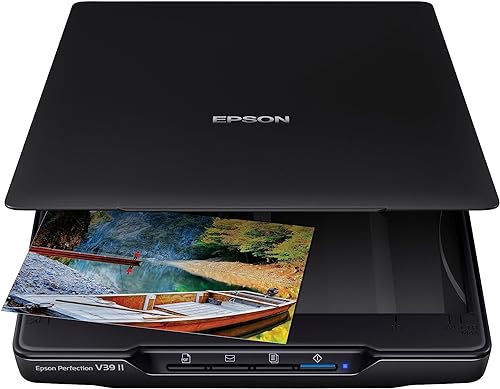
The Epson Perfection V39 II suits album pages, books and individual prints that need to lie flat on the glass. Its removable high-rise lid makes room for bulky items, and its 4800 dpi optical resolution is designed for detailed photo scans.
Epson's Easy Photo Fix can restore color to faded photos with one click. ScanSmart can stitch oversized images and send scans to cloud storage, while the scanner connects by USB.
Pick it when careful positioning and the ability to scan books or other bulky items matter more than batch speed.
Our guide to the best home scanners for photos compares other photo-focused options.
Canon CanoScan LiDE 400: Best for a simple photo flatbed

- 4800 x 4800 dpi resolution
- USB Type-C connection
- Color restore and dust removal
A slim flatbed offers a straightforward way to scan individual prints and documents. Its EZ buttons include auto scan and PDF functions.
Pros
- Photo enhancement features
- One cable handles data and power
- Can save multi-page PDFs
Cons
- No wireless connection
- One item at a time
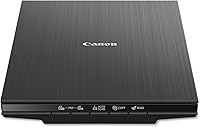
The Canon CanoScan LiDE 400 is a simple flatbed for individual photos and letter-size documents. Its 4800 x 4800 dpi resolution, color restore and dust removal features make it a practical match for prints you want to scan one at a time.
Five EZ buttons include auto scan and PDF functions, and the included USB Type-C cable handles both data and power. It has no wireless connection, so plan to scan near a computer.
Choose it for a small collection or occasional paper tasks where a straightforward flatbed is enough. If you want to compare it with another slim flatbed, see our [Canon LiDE 300 vs.
LiDE 400 comparison](/canon-lide-300-vs-400/).
Epson WorkForce ES-400 II: Best for paper stacks

- 50-sheet automatic document feeder
- Duplex scanning
- Searchable PDFs with OCR
A document focused feeder suits family papers, forms and other stacks. It includes image adjustments and double-feed detection, but the listed scanner type is document.
Pros
- Feeder handles stacks
- Captures both sides
- Can create searchable PDFs
Cons
- Paper-first design is not specified for old photo handling
- USB connection only
The Epson WorkForce ES-400 II fits a household with more paperwork than photographs. Its 50-sheet automatic document feeder scans both sides and includes double-feed detection and skew correction.
ScanSmart can preview, email and upload files, and OCR can create searchable PDFs or editable Word and Excel files. Auto crop, blank page removal and background removal help with document cleanup.
The scanner is described for documents, so choose a photo-focused feeder or flatbed for old prints. For forms, statements and household records, the feeder can save time over placing each page by hand.
Epson WorkForce ES-50: Best for occasional papers on the go

- Compact single-sheet scanner
- USB powered
- Handles documents up to 8.5 x 72 in
This portable document scanner works one sheet at a time and can combine multi-page scans into one file. It is for paper tasks rather than a box of old photos.
Pros
- Small, light design
- No external power supply needed
- OCR for searchable files
Cons
- Single-sheet feed slows larger jobs
- Document scanner, not a photo-focused model
The Epson WorkForce ES-50 is a compact pick for occasional papers when you want a single-sheet scanner. It is USB powered and can handle documents up to 8.5 x 72 in, including receipts and ID cards.
ScanSmart reviews and saves scans, and the automatic feeding mode can combine multiple sheets into one file. OCR can create searchable PDFs and editable Word or Excel files.
This is a document scanner, not a photo-specific choice for old prints. Choose it for a few papers at a time or travel use, rather than a large family archive.
Canon imageFORMULA RS40: Best for mixed photo and paper batches
- Automatic feeder for photos and documents
- Scans both sides
- Handles varied item sizes
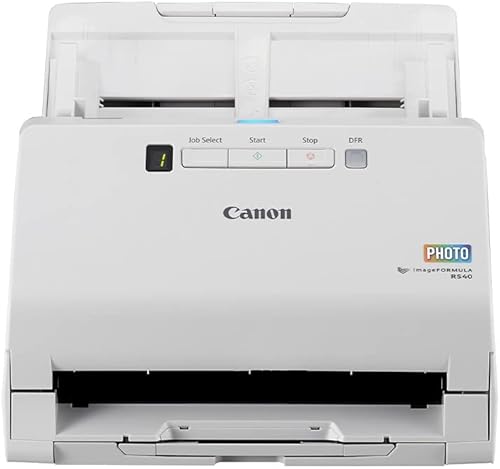
The RS40 is designed for mixed batches of photos and papers, with bundled tools for photo enhancement. It scans both sides and supports common photo and document formats.
Pros
- Handles photos and papers
- Duplex scanning
- Photo editing and enhancement software
Cons
- USB connection only
- Feeder handling may not fit fragile prints
The Canon imageFORMULA RS40 is a mixed-batch option for loose photos and documents. Its automatic feeder scans both sides, handles varied sizes, and bundled software includes photo enhancement, red-eye correction and digital face smoothing.
It supports common photo formats such as JPG, TIF, BMP and PNG, along with PDF and PPTX. Canon describes the scanner as compatible with Windows and Mac, with USB connectivity and a TWAIN driver.
A feeder is convenient for prints in good shape, but it may not be suitable for delicate or damaged photos. Set those aside for a flatbed, and choose the RS40 when mixed batches are a regular task.
Plustek ePhoto Z300: Best for feeding prints one by one

- Scans 3 x 5 to 8 x 10 in photos
- 300 or 600 dpi settings
- Photo color restoration tools
Instead of placing each print on a flatbed, you insert photos one at a time. Its photo enhancement tools include faded color restoration.
Pros
- Made for common print sizes
- One-by-one feed can speed up a stack
- Photo restoration tools
Cons
- Not a batch feeder
- USB connection only
The Plustek ePhoto Z300 is for feeding loose prints one at a time instead of placing each on a flatbed. It supports 3 x 5, 4 x 6, 5 x 7 and 8 x 10 in photos, plus letter and A4 paper, with 300 or 600 dpi settings.
Its software includes auto crop, rotation and faded color restoration tools. The one-by-one feed can suit a stack of prints, though it won't scan a whole batch at once.
Choose it when loose photos are the main job and you want a feed style between a flatbed and a batch feeder. For tips that can help prevent rescans, read our guide to scanning old photos.
Which scanner style suits your family archive?
A flatbed is the safer general choice for delicate originals, while a photo feeder is more convenient for loose prints in good condition. A document feeder earns its place when papers make up most of the workload.
Is a feeder right for old prints?
A feeder is useful when you have many loose photos and want to reduce repeated placement. The FastFoto FF-680W can batch scan photos, while the RS40 handles mixed photos and papers.
Check each original before feeding it. Set aside prints that are cracked, curled, stuck together or especially important to you, and use a flatbed for those items.
When is a flatbed the better choice?
A flatbed suits album pages, books and prints that need careful placement. The V39 II has a removable lid for bulky items, while the LiDE 400 offers a simpler flatbed for individual photos and documents.
A flatbed also makes it easy to pause and adjust each item. That control can matter more than speed when every original is different.
How much paperwork do you need to scan?
If you have stacks of forms, statements or letters, look for a feeder with duplex scanning and OCR. The ScanSnap iX2500 and WorkForce ES-400 II are document-focused options, while the ES-50 handles a sheet at a time.
For mixed archives, separate photos from papers before scanning. That makes it easier to choose settings and organize files by type.
How do you protect photos while scanning?
Handle old prints by their edges and avoid forcing them through a feeder if they resist. A flatbed gives you more control over placement, while feeder models may include features or accessories intended for photos.
Keep the glass clean and remove loose dust gently before scanning. Our guide to cleaning old photos before scanning covers preparation, and our photo scanning tips can help you plan a larger project.
How should you save the scans?
Save a high-quality master file before making smaller copies for sharing. The FastFoto FF-680W offers format options for sharing, archiving and enlarging, while the V39 II and document scanners include software features for organizing or sending scans.
Use descriptive file names and keep a second copy in a separate location. For advice on organizing a growing archive, see how to organize scanned photos.
Which scanner should you choose?
Choose the Epson FastFoto FF-680W if you have many loose prints and want to capture handwritten notes on their backs. Pick the V39 II or LiDE 400 for careful, one-at-a-time scans, and choose a document feeder if household papers are the main task.
For mixed batches of photos and papers, consider the Canon imageFORMULA RS40. If your originals include slides or negatives, use a dedicated film scanner instead of expecting a photo or document scanner to handle them.
Our top 3 picks at a glance
-
1
-
2
-
3
Frequently asked questions
What type of scanner is best for old photos and documents?
A flatbed is a flexible choice when you have fragile photos, album pages or papers you want to scan one at a time. A photo feeder can save time on loose prints, while a document feeder is better suited to paper stacks.
Match the scanner to the items you have most.
Can a document scanner scan old photos?
Some document scanners also support photos, but their feed path may not suit fragile, curled or stuck prints. The Epson FastFoto FF-680W and Canon imageFORMULA RS40 are described for photo and document scanning.
For delicate keepsakes, a flatbed avoids feeding the photo through rollers.
Should I use a flatbed scanner for family papers?
Yes, a flatbed can scan individual pages, books and photos on its glass. It takes longer for a stack because you place each item separately.
For recurring paperwork, a feeder such as the ScanSnap iX2500 or Epson WorkForce ES-400 II can process pages in batches.
What resolution should I use for old photos?
The right scan resolution depends on how you plan to use the image. A 300 dpi scan can work for viewing and sharing, while a higher resolution can help if you plan to enlarge or crop.
See our guide to photo scanning resolution before starting a large batch.
How should I prepare old photos before scanning?
Handle prints by their edges and remove loose dust with a gentle, dry method. Don't use household cleaners or rub a damaged surface.
Our guide to cleaning old photos before scanning covers safer preparation steps.