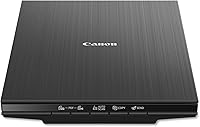
Plustek ePhoto Z300 Photo Scanner Review: Worth It? (November 2026)
The Plustek ePhoto Z300 is the best scanner for most people digitizing a shoebox of fragile old photos, because its CCD sensor and gentle feed handle prints a flatbed makes slow work of. Pick the Epson FastFoto FF-680W instead only if you have thousands of prints and need batch speed and duplex backs.
On this page (11 sections)
- The Plustek ePhoto Z300 photo scanner at a glance
- Who should buy the Plustek ePhoto Z300?
- The specs that matter in daily use
- Setting up the ePhoto Z300 for a photo session
- Scanning fragile prints without damage
- Restoring and sharing the scanned images
- The trade-offs of the Plustek ePhoto Z300
- The Epson FastFoto FF-680W for big collections
- How the two scanners compare
- Care and maintenance for long life
- Verdict: should you buy the Plustek ePhoto Z300?
The Plustek ePhoto Z300 is the scanner to buy for a shoebox of ordinary old photos, and this Plustek ePhoto Z300 photo scanner review explains why. Its CCD sensor and gentle feed do in seconds what a flatbed takes minutes to do per print.
The Epson FastFoto FF-680W is the better tool only when the collection runs into thousands of prints and you need batch speed.
The core idea is simple. You slide one print into the slot, the scanner pulls it through and a digitized file appears.
There is no glass to wipe between photos and no lid to lift. For anyone facing a box of faded family snapshots, that matters more than a long feature list.
The Plustek ePhoto Z300 photo scanner at a glance
Plustek ePhoto Z300: Best for fragile old photos

- CCD sensor
- 300/600 dpi
- 2 sec per 4x6 photo
- Scans prints up to 8x10 and A4 paper
- USB
A gentle photo feed with a CCD sensor that keeps color and shadow detail in old prints. Best for households with a box or two of fragile photos and mixed paper.
Pros
- CCD sensor for color accuracy and dynamic range
- Gentle roller feed for fragile prints
- Fast 2-second scans for a 4x6
- Also takes letter and A4 paper
Cons
- Single-sided feed, so print backs need two passes
- Manual one-photo-at-a-time loading slows big batches
- 600 dpi setting slows each scan
Who should buy the Plustek ePhoto Z300?
Buy it if you have a box or two of loose prints and some paper documents, not a room full of albums. The Z300 is built for households that want to digitize family photos in an afternoon without turning it into a project.
It suits prints from 3x5 up to 8x10, plus letter and A4 paper. That range covers most snapshots from the 1970s onward, school portraits, postcards and the odd recipe card or letter.
Because the feed takes photo paper up to 0.76 mm thick, Polaroids and instant prints can go through too.
Skip it if your photos live in sticky album pages or mounted scrapbooks. Those need a flatbed where the print lies flat on glass.
Also skip it if you plan to scan thousands of prints in one session and want a batch feeder to do the loading for you. The gentle one-at-a-time feed is the point, and it is also the limit.
If you are still weighing formats, our guide to the best home scanner for photos compares feeds and flatbeds side by side.
The specs that matter in daily use
The headline numbers tell most of the story: a CCD sensor, 300 or 600 dpi, and about 2 seconds per 4x6 photo. Those three choices decide how the Z300 feels in daily use, and all of them favor old prints over bulk paperwork.
The CCD sensor is the most important one. Plustek says CCD offers better color accuracy and dynamic range than CIS, the cheaper sensor in many document scanners.
In practice that means faded photos keep more of their subtle color and shadow detail. It also focuses across a deeper range, so a slightly curled print still scans cleanly.
Our explainer on what a CCD scanner is goes deeper on the difference.
Resolution is a straight choice between 300 and 600 dpi. Plustek rates the speed at 300 dpi, so that is the setting for bulk work.
Step up to 600 dpi for a small number of prints you plan to enlarge or restore. There is no reason to scan every snapshot at the higher setting, since it slows the run and adds little for a 4x6 viewed on a phone.
The feed itself is the third spec. Plustek designed the roller system for fragile, sticky old photo surfaces.
The company says its roller system is gentler on photos than the tight rollers in document scanners, which can grab or crease brittle paper. Load one print at a time and it ejects when finished.
Setting up the ePhoto Z300 for a photo session
Setup is quick: install the software, connect the USB cable and let the automatic feed do the rest. Plustek's software handles the scanning controls, so most of the setup time goes into the computer side.
Install the Plustek software first and follow its prompts. Connect the scanner by USB, and the computer should recognize it without a long configuration process.
Plustek lists Windows 7 as the minimum system requirement; check that your machine meets it before you start. The unit weighs about 1.5 kg and measures roughly 19 inches deep, 4 inches wide and 11 inches tall, so it needs a stable spot beside your desk with room for prints to exit.
Then try a short test batch. Slide a single print in and watch the automatic scan start, then check the file on screen.
Adjust brightness or crop settings in the software before you commit to the full box. The software's auto-crop and rotate features save a lot of time on crooked prints, and Plustek includes restoration tools for faded images.
Once the settings look right, work in stacks. Pull prints from the box in groups, scan them in order and keep each group in its own folder.
That way a long session stays organized instead of producing one giant folder of files.
Scanning fragile prints without damage
The safest way to scan old photos on the Z300 is to feed them one at a time and keep the glass-free path clean. The gentle roller design reduces risk, but the print still passes through a mechanism, so basic care helps.
Start with a soft brush or microfiber cloth to remove dust and grit. A grain of sand between the rollers can scratch an emulsion.
Keep the feed area clean as you work, and wipe it down regularly so a long run stays smooth.
Handle brittle prints by the edges. If a photo is torn or has a flaking corner, consider a flatbed instead, since a feed scanner pulls the sheet through and a weak corner can catch.
Curled prints are usually fine, because CCD focus handles non-flat surfaces better than CIS.
Scan in small groups and stop if a print jams. Never pull a stuck photo backward against the feed direction.
Let the scanner release it or follow the software's instructions to clear the path. For a fuller method, see our guide to the best scanner for old photos and documents.
Restoring and sharing the scanned images
Plustek's software does much of the cleanup for you: auto-crop, rotation and faded-image restoration are built in. You can also save in a range of file formats and send finished photos straight to Facebook, X or Google Drive from the app.
For faded color prints, use the restoration tool on a copy first. Compare it with the original before saving over anything.
Auto-crop handles the borders and straightens most scans, which matters when you feed a batch by hand.
Set a sensible archive format. For photos you plan to keep, save a high-quality copy and keep the originals in a safe place.
If you scan the backs of prints, run each photo twice and merge the two sides in the software so the note travels with the image.
Sharing is one click to Facebook, X or Google Drive, according to Plustek. That is handy for sending a batch to family right after a session.
Keep a separate backup on a drive or in the cloud so the scans are not tied to one app.
The trade-offs of the Plustek ePhoto Z300
The single-sided feed and manual loading are the real limits, and they matter most when the collection is large. The Z300 rewards careful one-by-one work but does not batch feed for you.
Because the feed is simplex, anything with handwriting on the back needs a second pass. Plustek's software can merge the two scans, so the extra step costs time rather than quality.
If your photos carry notes, dates or captions on the reverse, plan the run in two stages.
Loading by hand also slows a very large project. Plustek rates about 1,000 photos in an afternoon, which is fine for a household box.
A collection in the many thousands will feel like a longer job, and that is where a batch feeder earns its keep.
The 300 dpi speed rating is the other point. Everyday snapshots look good at 300 dpi.
Prints you intend to enlarge or heavily restore will need the 600 dpi setting, which slows each scan. Budget the extra time for the handful that matter.
The Epson FastFoto FF-680W for big collections
The Epson FastFoto FF-680W is the best pick when speed and print backs matter more than CCD color depth. It batch feeds up to 36 photos and scans about one photo per second at 300 dpi.
Epson's duplex design captures the image and the handwritten note on the back in a single pass. That saves the second run the Plustek needs.
It also offers Wi-Fi as well as USB, and Epson includes a carrier sheet for delicate prints plus a cleaning cloth. Resolution goes to 600 dpi for archiving and up to 1200 dpi interpolated for enlargements.
The trade-off is the sensor. The FF-680W uses CIS, so it gives up some color depth against the Z300's CCD.
It is also a bigger desktop unit with a heavier footprint. For a big, fast digitizing job, though, the batch feed and duplex scanning outweigh that.
Our roundup of auto feed photo scanners covers the batch options in more detail.
How the two scanners compare
The Plustek ePhoto Z300 wins on sensor quality and gentle handling, while the Epson FastFoto FF-680W wins on speed and batch workflow. The right choice depends on whether you are scanning a box or a library.
| Feature | Plustek ePhoto Z300 | Epson FastFoto FF-680W |
|---|---|---|
| Sensor | CCD | CIS |
| Resolution | 300 or 600 dpi | 600 dpi |
| Speed | 2 sec per 4x6 at 300 dpi | 1 photo per second at 300 dpi |
| Feeding | One print at a time | Batch up to 36 photos |
| Sides | Single-sided | Duplex |
| Connection | USB | Wi-Fi and USB |
| Media | 3x5 to 8x10 photos; letter and A4 paper | Photos up to 8x10, Polaroids, panoramas, postcards; documents |
If you have one box of snapshots and care about color and fragile surfaces, the Plustek is the smarter buy. If you inherited a filing cabinet of photos and want them all digitized before the holidays, the Epson's speed changes the math.
The Epson's score of 9.2 leads this comparison on raw capability, while the Plustek's 8.3 reflects its narrower but well-focused job.
Care and maintenance for long life
Keep the feed path clean and run a short test scan before each big session. The Z300 needs very little beyond routine dusting, but a clean path keeps prints safe and scans sharp.
Wipe the feed area with a soft cloth after a long run. Dust and paper fibers collect around the rollers, and a clean surface reduces streaks and jams.
Store the scanner with its dust cover or in a drawer to keep the slot clear.
Handle the feed mechanism gently when clearing a jam. If a photo stalls, let the software stop the motor before you do anything.
Pulling against the feed can damage the roller alignment and the print.
Keep the scanner on a flat, stable surface and avoid moving it during a session. A slight tilt can make the feed grab one edge of a print.
Run a test scan after any move, then resume the box.
Finally, store scanned files in two places. A cloud backup plus a local drive keeps the digitized collection safe, and it lets you clear the original box without losing anything.
Verdict: should you buy the Plustek ePhoto Z300?
The Plustek ePhoto Z300 is a buy for households with a box of fragile old photos, and this review's score of 8.3 reflects a focused tool that does that job well. The CCD sensor, gentle feed and built-in restoration make it the easiest way to digitize ordinary snapshots without a flatbed.
Choose it when your photos are loose prints from 3x5 to 8x10, when color and shadow detail matter, and when you want a session measured in an afternoon. It also earns its place for Polaroids and instant prints within its thickness limit.
Choose the Epson FastFoto FF-680W instead when you face thousands of prints, want batch feeding up to 36 photos and need duplex scanning for notes on the back. For most people with a single box of photos, though, the Plustek's CCD quality and gentle handling make it the pick.
Whichever you choose, scan the fragile prints first while you still have time to treat them with care.
Frequently asked questions
What kind of sensor does the Plustek ePhoto Z300 use?
The ePhoto Z300 uses a CCD (charge-coupled device) sensor. Plustek says CCD gives better color accuracy and dynamic range than the CIS sensors in many document scanners, which helps keep shadow and highlight detail in faded old prints.
How fast does the Plustek ePhoto Z300 scan photos?
Plustek rates it at about 2 seconds for a 4x6 photo and 5 seconds for an 8x10 at 300 dpi. That is quick enough to work through around 1,000 photos in an afternoon, though you load each print by hand.
Does the Plustek ePhoto Z300 scan both sides of a photo?
No. The Z300 is a single-sided (simplex) feed, because photo paper rarely has an image on both sides.
The software can merge two scans into one file if you need to capture a handwritten note on the back.
Can the Plustek ePhoto Z300 handle Polaroids and thick prints?
Yes. Plustek says it takes photo paper up to 0.76 mm thick, which covers Polaroids, instant prints and most scrapbook pages.
Thicker cardstock or mounted album pages are a job for a flatbed instead.
Is the Plustek ePhoto Z300 worth it over a flatbed scanner?
For a box of ordinary prints, yes. The feed design is faster than laying each photo on flatbed glass and closing the lid.
A flatbed still wins for albums, non-flat items and anything you cannot feed through a slot.