Epson Perfection V600 Photo Scanner Review: Worth It? (November 2026)
The Epson Perfection V600 is the flatbed to buy if you need to scan film as well as prints. Its 6400 x 9600 dpi CCD sensor and built-in Transparency Unit handle 35mm slides, negatives and medium format up to 6 x 22cm, and it makes enlargements up to 17 x 22 inches.
On this page (7 sections)
The Epson Perfection V600 is the flatbed to buy if your archive includes film, not just prints. Its 6400 x 9600 dpi CCD sensor and built-in Transparency Unit scan 35mm slides, negatives and medium format strips that a plain paper flatbed can't touch.
For prints alone, it's more machine than most people need.
This Epson Perfection V600 photo scanner review covers the specs that change daily use, the setup you'll actually face and the honest trade-offs. The short version: buy it for film, skip it if you only have albums and want speed.
The Epson Perfection V600 at a glance
The V600 is a flatbed photo scanner built around film. The lid hides a Transparency Unit that lights the film from above, and Epson includes holders for mounted slides and medium format strips.
Epson Perfection V600 Photo Wired USB Connectivity: Best for film and slide archiving

- 6400 x 9600 dpi optical resolution
- CCD sensor
- Built-in Transparency Unit
- 48-bit color depth
A film-capable flatbed for people with shoeboxes of negatives and slides. The CCD sensor and bundled film holders do the work that a cheap CIS flatbed can't.
Pros
- Scans 35mm slides, negatives and medium format film
- CCD sensor with 48-bit color depth
- DIGITAL ICE removes dust and scratches from film
- ReadyScan LED means no warm-up wait
Cons
- USB only, no Wi-Fi
- Large footprint at 19 x 11 inches
- One photo at a time
It scans prints and documents up to 8.5 x 11.7 inches on the glass. The 48-bit color depth and 16-bit grayscale depth give you headroom for editing faded or contrasty images after the scan.
The body measures 19 inches deep, 11 inches wide and 4.6 inches high, and it weighs about 9 lb. That's a lot of desk for a scanner, so plan a permanent spot rather than pulling it out per session.
Who the V600 suits
Buy it if you have a shoebox of negatives or a binder of slides and want one machine that also handles the family prints. The film holders and DIGITAL ICE are the reasons to pay for this model instead of a cheaper flatbed.
Skip it if you're digitizing hundreds of 4 x 6 prints and nothing else. A sheet-fed scanner feeds a stack at once, while the V600 takes one photo per pass on the glass.
It also suits anyone restoring old photos who wants software in the box. ArcSoft PhotoStudio and Easy Photo Fix come included, so you can clean up faded color without buying an editor first.
The specs that matter in daily use
Resolution beyond 2400 dpi is wasted on prints but useful on film. The 6400 x 9600 dpi optical figure is what lets you pull detail from a 35mm frame and print it large.
For prints, the CCD sensor and 48-bit color depth do more for quality than the headline resolution. A CCD captures more tonal information than the CIS sensors in slim flatbeds, which is why film people seek it out.
The explainer on what a CCD scanner is covers why that sensor type matters for photos and slides.
The Transparency Unit is the practical centerpiece. It scans four mounted 35mm slides or 12 negatives at once, and medium format strips up to 6 x 22cm.
That's a real time saving over laying film on the glass one frame at a time.
DIGITAL ICE removes dust and scratches from film during the scan. It's the single feature that saves the most retouching hours on old negatives.
The ReadyScan LED light means no warm-up before you start. Turn it on and scan, which matters when you're working through a box in short sessions.
Epson lists an optical density of 3.4 Dmax. In plain terms, that's the ability to hold detail in the darkest parts of a slide rather than crushing them to black.
Setting up the V600
Setup is a cable, a driver and a film holder. Plug in the Hi-Speed USB 2.0 cable and the AC adapter, install the software from the included CD-ROM, and you're scanning.
The box holds the scanner, the built-in Transparency Unit in the lid, the 35mm and mounted slide holders, the 6x22cm medium format holder, the USB cable, the power adapter and cord, an installation CD-ROM and a setup poster.
USB 2.0 only means the scanner needs to sit near your computer. There's no Wi-Fi, so you can't park it in another room and send scans over the network.
The four buttons on the front handle scan, copy, e-mail and PDF creation. For a quick print or a PDF of a document, you don't need to open the full scanning software.
Plan where the film holders will live. They're small and easy to misplace, so a labeled box beside the scanner keeps a long archiving session moving.
Scanning film without frustration
Load slides emulsion side down in the holder, following the orientation marks. Mounted slides go in four at a time; strip film goes in the 35mm holder up to 12 frames.
Close the lid and let the Transparency Unit do the lighting. Choose film as the document type in the software, then pick positive or negative to match what's in the holder.
Preview first. The preview pass is quick, and it lets you crop and set the exposure before the full-resolution scan.
Turn on DIGITAL ICE for dusty negatives and slides. It adds scan time but removes most specks and light scratches, so you skip hours in an editor.
Save a TIFF or a high-quality JPEG at full resolution for anything you might print. Keep a smaller copy for sharing so your archive doesn't fill the drive in one weekend.
Care and maintenance for a film flatbed
Clean the glass before every film session. Dust on the glass under a slide shows up as a soft spot in the scan, and DIGITAL ICE can't fix what sits between the film and the sensor.
Wipe the glass with a soft, lint-free cloth and a cleaner made for optics. Avoid paper towels, which leave fibers and can scratch the coating.
Dust the film itself with a blower or a soft brush before loading. The less debris on the film, the less work the scratch removal has to do.
Keep the Transparency Unit clean too. A smudge on the lid's inner surface affects every film scan, and it's easy to overlook because you rarely see that side.
Store the film holders flat and dry. Warped holders can hold a slide slightly off the glass, which softens focus.
Keep the scanner out of direct sun and dust. A cover when it's idle is cheap insurance for a device with a large glass bed and a precision lid.
Software upkeep
Epson's scanning software and the bundled ArcSoft PhotoStudio and Easy Photo Fix tools are the workflow backbone. Check for current versions from Epson before a big archiving project.
DIGITAL ICE settings are worth learning once. Over-aggressive correction can soften fine detail on grainy film, so try a moderate setting first and compare.
The trade-offs to weigh before buying
The V600 is slow for prints and needs a desk. Those are the two things that push people toward a different scanner.
One photo per pass on the glass means a stack of 200 prints takes real time. A sheet-fed scanner batch-scans up to 36 photos at a time and runs as fast as one photo per second, which is a different league for albums.
USB only is the second limitation. There's no Wi-Fi, so the scanner has to live next to the computer.
If your desk is already crowded, the 19-inch depth is a real commitment.
The scan quality is the payoff. For film, nothing in the budget sheet-fed class matches a CCD flatbed with a Transparency Unit and DIGITAL ICE.
Speed on film is also steady rather than fast. Four slides or 12 negatives per pass is efficient, but a big slide collection still means many passes.
The roundup of scanners for old photos and documents shows what the sheet-fed options do better.
If you only have prints and want speed, the V600 is the wrong tool. If you have film and prints and want one machine, it's the right one.
Alternatives to the V600
The main alternative is a sheet-fed photo scanner for albums, or a cheaper flatbed for prints only. Here are the three worth comparing against the V600.
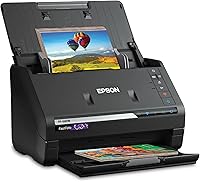
Epson FastFoto FF-680W
The FastFoto FF-680W is the batch scanner for print albums. It scans as fast as one photo per second at 300 dpi and handles up to 36 photos in a batch, including Polaroids, panoramas and prints up to 8 x 10 inches.
It has Wi-Fi and USB, so it doesn't need to sit at the computer. Epson's auto enhancement adds color restoration, red-eye reduction and de-skew, which cleans up old prints as they feed.
It can't scan film. If your archive includes negatives or slides, the V600 is the only one of the two that handles them.
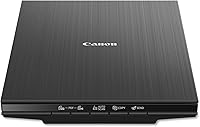
Canon CanoScan LiDE 400
The LiDE 400 is the slim, cheap flatbed for prints and documents. It's 0.4 inches tall and scans in as fast as 8 seconds over USB Type-C, which carries both data and power.
Its 4800 x 4800 dpi resolution and color restore and dust removal tools handle photos well. Built-in PDF buttons save searchable multi-page documents.
It uses a CIS sensor and has no Transparency Unit. For film, the V600's CCD and film holders are the reason to spend more.
Epson Perfection V600 against both
The V600 wins on film, full stop. Against the FastFoto it loses badly on print speed and Wi-Fi convenience.
Against the LiDE 400 it loses on desk space and price.
If you shoot film or inherited negatives and slides, the V600 is the pick. If your archive is all prints, the FastFoto handles volume and the LiDE 400 handles occasional scans for less money and less desk.
The guide to home scanners for photos compares the flatbed and sheet-fed routes in more detail.
Verdict: should you buy the Epson Perfection V600?
Buy the V600 if you have film to scan. The 6400 x 9600 dpi CCD, the built-in Transparency Unit and DIGITAL ICE make it the clear choice for negatives, slides and medium format in this group.
It's a 7 out of 10 because it's slow and bulky for prints, not because it's weak at film.
Skip it if your archive is only prints. The FastFoto FF-680W scans stacks in a fraction of the time with Wi-Fi convenience, and the LiDE 400 covers occasional print and document scans for less money.
Pick the V600 for a mixed archive where film matters. Pick a sheet-fed scanner when speed on prints matters more than film support.
That's the whole decision.
If you also scan cards or small collectibles, the photo scanner guide for trading cards covers which flatbeds handle that job well.
Frequently asked questions
Can the Epson Perfection V600 scan slides and negatives?
Yes. Its built-in Transparency Unit takes four mounted 35mm slides or 12 negatives per pass, and it handles medium format strips up to 6 x 22cm.
Film holders come in the box for both sizes.
Does the V600 scan wirelessly?
No. The V600 connects by Hi-Speed USB 2.0 only, so it needs a cable to a computer.
If you want Wi-Fi and batch feeding, look at a sheet-fed photo scanner instead.
How big an enlargement can the V600 make from a scan?
Epson says the 6400 x 9600 dpi resolution supports enlargements up to 17 x 22 inches. The limiting factor is usually the film's own grain and sharpness, not the scanner's resolution.
Is DIGITAL ICE included with the V600?
Yes. The software package includes DIGITAL ICE technology for dust and scratch removal on film, plus ArcSoft PhotoStudio and Epson Easy Photo Fix for restoring faded images.