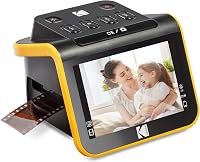
8 Best Scanners for 35mm Slides (October 2026)
The best scanners for 35mm slides include the Epson Perfection V850 Pro for detailed film archives, the Kodak Slide N Scan for simple home previews, and the Kodak Slide N Scan Max for a larger preview screen.
On this page (3 sections)
The Epson Perfection V850 Pro is the best scanner for 35mm slides when detail is your priority, with a dual lens system, film holders and Digital ICE. For quick home conversion, the Kodak Slide N Scan models offer built-in screens and direct SD card saving.
The right choice depends on whether you want hands-off batch handling, on-device previews or more control over the scan. We compared the stated features and workflow of 8 options, from simple converters to dedicated film scanners.
For a broader view of the process, see our guide to the best way to digitize slides. If your archive also includes negatives, our guide to scanning negatives at home covers the steps and tools involved.
Our picks at a glance
-
1

-
2
-
3

Which scanner is best for 35mm slides?
The Epson V850 Pro is the strongest pick for detailed archiving, while the Kodak models fit quick conversion and the Plustek scanners offer dedicated film workflows. Choose based on your slide volume, desired detail and comfort with software.
Epson Perfection V850 Pro: Best for detailed film archives
- 6400 dpi
- Dual lens system
- Digital ICE
- Film holders
A flatbed photo scanner built for film and photo archiving, with a dual lens system, film holders and Digital ICE.
Pros
- 6400 dpi
- Dual lens system
- Film holders included
Cons
- Larger and heavier than compact film scanners
- Computer-based workflow
The Epson Perfection V850 Pro is the clearest choice when you want a flatbed that can handle film and photos as part of a broader archive. It has 6400 dpi resolution, a dual lens system and film holders, so it can serve more than one scanning task.
Epson describes its tonal range as 4.0 Dmax, which is intended to preserve smooth gradations and shadow detail. Digital ICE is included for dust and scratch correction, a useful feature when old slides need extra cleanup.
The V850 Pro connects by USB and uses a computer-based workflow. Its 20.9 lb weight and 19.8 in width make it much less compact than the small screen-based converters.
Choose it if you expect to scan slides alongside photos or want more control over the archive process. It costs more space and setup time than a stand-alone converter, so it may be excessive for a small stack of slides.
Kodak Slide N Scan: Best for simple home previews
- 5-inch LCD
- Quick-feeding tray
- 135
- 110 and 126 film adapters
- SD or SDHC saving
A self-contained film scanner with a 5-inch screen, quick-feeding tray and direct saving to an SD card.
Pros
- Preview on the built-in screen
- Adapters for several film formats
- Quick-feeding tray
Cons
- SD card not included
- Screen is smaller than the Max model
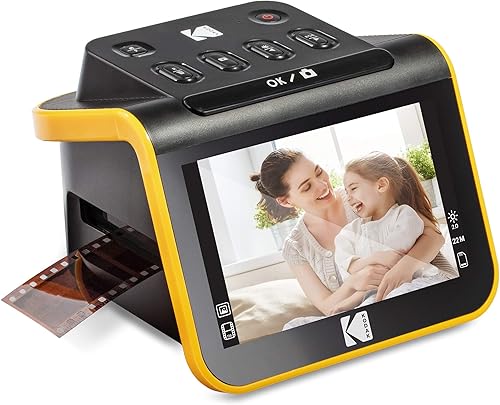
The Kodak Slide N Scan is a practical choice for a household archive that needs quick previews and simple file saving. Its 5-inch LCD lets you review images on the scanner, and scans save directly to an SD card.
The quick-feeding tray supports continuous loading, with a 50 mm slide holder and adapters for 135, 110 and 126 film. It also has HDMI and USB connections, plus one-touch options to adjust color, brightness and date or time.
An SD card is required and not included. The scanner's focus is straightforward conversion rather than a software-heavy process, which can be appealing if you want to view and sort scans without starting at a computer.
Choose this model for a modest slide collection or mixed film formats when the built-in screen is enough for previewing. For a larger screen, the Slide N Scan Max has a 7-inch display.
Kodak Slide N Scan Max: Best for a larger preview screen
- 7-inch tiltable LCD
- Quick-feeding tray
- 135
- 110 and 126 film adapters
- SD or SDHC saving
A self-contained scanner with a larger tiltable screen, quick-feeding tray and direct saving to an SD card.
Pros
- Large 7-inch screen
- Continuous tray feeding
- One-touch editing
Cons
- SD card not included
- Uses an SD card to operate
The Kodak Slide N Scan Max is the better fit if you want the same general stand-alone workflow with a larger preview screen. The 7-inch tiltable LCD can display scans and also works as a digital picture frame.
Its quick-feeding tray supports continuous loading, and adapters cover 135, 110 and 126 films. You can save directly to an SD or SDHC card up to 32 GB and make simple edits with one-touch controls.
An SD card is needed to operate the scanner, and one is not included. That means you should have compatible storage ready before you begin a scanning session.
Choose the Max if reviewing images on a larger screen matters more than keeping the device compact. The 5-inch Kodak is a simpler fit if you prefer a smaller display and the same direct-to-card approach.
Plustek OpticFilm 8200i SE: Best for dust and scratch removal

- 7200 dpi
- Infrared dust and scratch detection
- 48-bit input
- SilverFast SE Plus
A dedicated 35mm scanner with 7200 dpi resolution and an infrared channel designed to detect dust and scratches.
Pros
- Infrared defect detection
- SilverFast SE Plus included
- Windows and Mac support
Cons
- More software-oriented workflow
- Dedicated to 35mm film and mounted slides
The Plustek OpticFilm 8200i SE is aimed at 35mm slide owners who want a dedicated film scanner and software tools for image work. It offers 7200 dpi and an infrared channel that detects dust and scratches on film surfaces.
Its 48-bit input and SilverFast SE Plus software give you a more involved path than a one-button converter. Plustek lists support for Windows 7 through 11 and Mac OS 10.7 to 14.x.
This model makes sense when a computer-based workflow is welcome and you want infrared defect detection as part of the scanning process. It is less suited to someone who wants to feed slides through quickly and save without working at a computer.
For the best result, clean and handle slides carefully before scanning. Our tips for scanning old photos also explain how to reduce avoidable dust and handling problems around a digitizing session.
Plustek OpticFilm 135i: Best for batch scanning 35mm film

- 7200 dpi
- Batch scanning
- Holders for slides and film strips
- Supports panoramic and half-frame images
A dedicated film scanner with holders that can scan four mounted slides or six frames from a film strip at once.
Pros
- Batch scanning with included holders
- 7200 dpi
- Supports panoramic and half-frame images
Cons
- Panoramic film holder is optional
- Larger than compact slide converters
The Plustek OpticFilm 135i suits a larger collection because its holders support multiple frames in one batch. It can scan four mounted slides or six frames from a film strip at once, reducing how often you need to reload.
It offers 7200 dpi and supports standard 35mm images, half-frame images and panoramic frames. The panoramic film holder is optional, so factor that in if wide frames are part of your archive.
This scanner is a better match for someone willing to use a dedicated film workflow in exchange for batch handling. Its included holders can make a long session more orderly than feeding each slide individually.
Choose it when volume and varied 35mm frame sizes matter. For smaller collections where you mainly want to preview and save, a Kodak screen-based model is easier to approach.
HP Film and Slide Scanner with 7-Inch Screen: Best for touch-screen editing

- 7-inch touch LCD
- Quick-feed tray
- 135
- 126 and 110 adapters
- USB and HDMI
A film scanner with on-device editing on a 7-inch touch screen and a quick-feed tray for common film formats.
Pros
- Touch-screen preview and editing
- USB and HDMI connections
- Quick-feed tray
Cons
- 13-megapixel sensor
- No SD card saving detail provided
The HP Film and Slide Scanner combines a 7-inch touch LCD with on-device crop and adjustment tools. It handles 135, 126 and 110 formats through a quick-feed tray, so it can suit mixed collections.
USB lets you transfer photos to a computer, while HDMI supports displaying slideshows on a TV. The scanner also has a gallery mode, and its stated sensor resolution is 13 megapixels.
The touch screen and direct editing are the main reasons to consider it. If you want to compare high-resolution scan workflows, the Plustek models provide stated 7200 dpi resolution, while the HP offers a more self-contained viewing experience.
Choose HP if you value a large touch screen and on-device editing over maximum stated resolution. Confirm the storage workflow you want before buying, since direct SD card saving is not specified here.
BEONEGLOBAL ClearScan P7: Best for a bundled SD card

- 7-inch LCD
- Up to 24MP
- Supports 35mm
- 110
- 126
- Super 8 and 8mm
- SD card included
A self-contained scanner with a 7-inch display, support for several film formats and an SD card included.
Pros
- SD card included
- Supports Super 8 and 8mm
- On-screen preview and adjustment
Cons
- Fewer details about the scan workflow
- Small amount of buyer feedback
The BEONEGLOBAL ClearScan P7 is a flexible pick for families with different film formats and no SD card on hand. It supports 35mm, 110, 126, Super 8 and 8mm, and includes an SD card.
The 7-inch LCD supports previewing and adjusting scans, and the scanner can save JPEG files without a computer. Its stated resolution is up to 24MP, with one-touch controls for scanning and color adjustments.
Those format options are broader than the other screen-based models in this group. If your archive is only mounted 35mm slides, you may not need that flexibility, but it can help when old home movies and still film sit together.
Choose it if the included SD card and broad film support simplify your setup. For a more established workflow, compare it with the Kodak models and their quick-feeding trays.
DIGITNOW 135 Film Scanner: Best for basic JPEG conversion
- 1800 dpi
- Rapid slide feeder
- 2.4-inch LCD
- Optional SD card saving
A basic slide and film converter with a rapid feeder, small built-in screen and JPEG saving to internal memory or an optional SD card.
Pros
- Rapid slide feeder
- Stand-alone scanning
- Saves JPEG files
Cons
- Lower resolution than other picks here
- Small 2.4-inch display
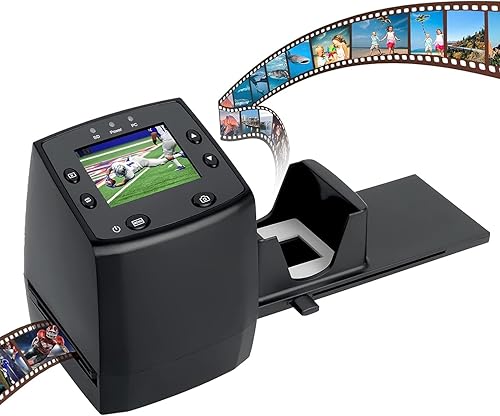
The DIGITNOW 135 Film Scanner is a basic option for converting slides and negatives to JPEG without a computer. It has a 2.4-inch LCD, a rapid slide feeder and can save files to internal memory or an optional SD card.
Its stated resolution is 1800 dpi, lower than the dedicated Plustek scanners. The small screen is useful for a quick check, but it offers less room for reviewing details than the 5-inch and 7-inch displays on the Kodak and other stand-alone picks.
The feeder can hold about 6 to 8 slides, and each slide can be advanced for scanning. That makes it a straightforward option for a simple digitizing task, though it is not the choice for close inspection or high-resolution archival work.
Choose it when simplicity and JPEG conversion matter more than scan detail. For more help planning a film workflow, see what resolution to scan photos.
What matters most when choosing a 35mm slide scanner?
A scanner’s workflow, film holders and preview options matter as much as its resolution number. Think about how many slides you have, whether they are mounted, and whether you want to edit on a computer or the scanner itself.
Is a bulk 35mm slide scanner worth it?
A bulk 35mm slide scanner can save handling time when it supports several frames per load. The Plustek 135i supports four mounted slides or six film-strip frames at once, while the Kodak models use a quick-feeding tray for continuous loading.
For a small group of slides, a batch feature may not matter much. For a family archive, fewer reloads can make the work easier to pace and organize.
Should you choose a higher resolution?
Higher stated resolution can be useful when you want more detail for cropping or larger prints, but it is not the only factor in image quality. Sensor, optics, film condition and the scan workflow also affect the result.
The Plustek models state 7200 dpi, while the Epson V850 Pro states 6400 dpi. If you are setting up a digital archive, read our guide to photo scan resolution and choose a target that fits how you plan to view or print the images.
Do you need a screen on the scanner?
A built-in screen is useful if you want to preview scans without a computer. The Kodak models, HP, BEONEGLOBAL and DIGITNOW all include screens, ranging from 2.4 to 7 inches.
A screen does not replace careful review on a larger display when detail matters. It does make quick sorting and family viewing easier during a scanning session.
Should dust removal be a priority?
Infrared dust and scratch detection may help reduce retouching work on compatible film. The Plustek OpticFilm 8200i SE includes an infrared channel designed to detect surface dust and scratches.
Good handling still matters, because loose dust can affect scans. Keep slides in their holders, avoid touching the image area and clean the scanner as directed.
Which scanner should you choose for your slides?
Choose the Epson V850 Pro for detailed archiving across film and photos, or the Plustek 135i for batches of 35mm frames. Pick a Kodak Slide N Scan for direct saving and easy previews, and the BEONEGLOBAL if you also need support for Super 8 and 8mm.
If your slides are part of a wider set of old film, see our comparison of slide and negative scanners. For a practical step-by-step workflow, start with the best way to digitize slides.
The score weighs stated specs and features against the needs of someone digitizing 35mm slides, with buyer feedback considered where available.
Our top 3 picks at a glance
-
1
-
2
-
3
Frequently asked questions
What is the best scanner for 35mm slides?
The Epson Perfection V850 Pro is the strongest fit when you want detailed scans from slides and film, with a dual lens system, film holders and Digital ICE. For direct viewing and a simpler workflow, consider a Kodak Slide N Scan model.
Choose based on whether detail or quick home conversion matters more.
Is a dedicated film scanner better than a flatbed for 35mm slides?
A dedicated film scanner is a focused choice for 35mm slides, while a flatbed can suit broader photo and film archiving. The Epson V850 Pro is a flatbed with film holders and a dual lens system.
Compare the workflow and the formats you need before deciding.
Can a scanner digitize many 35mm slides at once?
Some models support batch or continuous feeding. The Plustek OpticFilm 135i holders accommodate four mounted slides or six film-strip frames at once, while the Kodak models use quick-feeding trays.
Check whether the holder capacity fits your slide mounts and how much handling each batch requires.
Do film scanners need a computer?
Not all of them. The Kodak Slide N Scan models save scans directly to an SD card, and the DIGITNOW scanner can operate without a computer.
The Epson and Plustek picks have USB connections and use a more computer-oriented scanning workflow.