7 Best Affordable Photo Scanners for Home Use (November 2026)
The best affordable photo scanners for home use include the Epson FastFoto FF-680W for big family albums, the ScanSnap iX2500 Photo Edition for mixed photo and paper piles, and the Pandigital Personal Photo Scanner/Converter for no-computer scanning.
On this page (8 sections)
- Which affordable photo scanner fits your home?
- How these photo scanners compare side by side
- How we chose and scored these scanners
- What should you check before buying a home photo scanner?
- Should you scan prints, slides or both?
- How do you set up a scanner for a big photo job?
- Do you need a duplex scanner for photos?
- The best affordable photo scanner for your home
The Epson FastFoto FF-680W is the best affordable photo scanner for most homes because it feeds a whole stack at about 1 photo per second. Pick the Plustek ePhoto Z300 for delicate prints that need gentle handling, or the Pandigital if you'd rather not plug in a computer at all.
Household scanning usually means a shoebox of prints and one free afternoon. The right scanner keeps that afternoon short, and the wrong one turns 800 photos into a week of evenings.
Several models below go beyond paper prints. Two read slides and negatives, and one scans a mix of photos, receipts and letters in the same feeder.
Match the machine to what your boxes actually hold before you buy.
Our picks at a glance
-
1

-
2

-
3
 Best for no-computer scanning
Pandigital Personal Photo Scanner/Converter
8.4/10 our score
See it on Amazon
- 4
 Best for fragile old printsCheck it
- 5
 Check it
Magnasonic 24MP All-in-One Film Scanner
Best for slides and negatives - 6
 Check it
HP Film and Slide Scanner with 7-Inch Screen
Best for on-device editing - 7
 Check it
HP Small Photo and Document Scanner HPPS100
Best for a small desk
Which affordable photo scanner fits your home?
The best affordable photo scanner depends on three things: how many prints you have, how old they are, and whether you want a computer in the room. Here's where each pick lands on those questions.
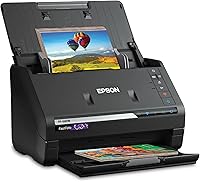
Epson FastFoto FF-680W: Best for big family albums
- Up to 1 photo per second at 300 dpi
- Batch-scan up to 36 photos
- Duplex scan for notes on the back
- Dropbox and Google Drive upload
A fast feeder that handles stacks of prints and keeps handwriting from the back in the same pass.
Pros
- Fast batch scanning
- Duplex pass captures photo plus notes
- Wireless upload to cloud storage
Cons
- Largest and heaviest pick here
- Needs more desk space
The Epson suits anyone facing a shoebox of hundreds of prints. You load up to 36 photos at once and the feeder runs at about 1 photo per second at 300 dpi, so a large chore becomes an afternoon job.
It also handles Polaroid photos, panoramas and postcards, plus prints up to 8 x 10 in.
The duplex pass matters for family photos with handwriting on the back. It captures the image and the note in one scan, which saves flipping every print by hand.
Epson builds in auto enhancement, color restoration, red-eye reduction, de-skew, crop and rotate. Three output settings cover sharing at 300 dpi, archiving as 600 dpi TIFF and enlarging at up to 1200 dpi.
Epson's SafeTouch carrier sheet handles delicate prints, and the scanner also has document mode up to 240 in with OCR. Cloud upload to Dropbox and Google Drive runs while you work.
It's the biggest and heaviest scanner here at 8.2 lb, so give it a permanent spot rather than a drawer. The trade-off against the ScanSnap is a slower peak rate.
ScanSnap iX2500 Photo Edition: Best for mixed photo and paper piles
- Up to 100 photos per minute
- 100-page feeder or 36 photos
- Wi-Fi 6 and USB-C
- Three photo carrier sheets included
Fast throughput for a desk that collects receipts and forms alongside old photos.
Pros
- Very fast photo feed
- Carrier sheets protect delicate prints
- Cloud and app sending built in
Cons
- Costs more than the simplest picks
- Touchscreen menus take a first session to learn
The ScanSnap fits a home office where photos share the desk with paperwork. Its feeder takes up to 100 documents or 36 photos, and it moves photo batches at up to 100 per minute, so you won't sit watching it.
The Photo Edition adds three carrier sheets for prints you don't want to risk. That's the same idea as Epson's sheet, aimed at old or curled photos that catch on a feeder.
Image cleanup is automatic: rotation, cropping, color restoration and red-eye reduction run without you choosing settings each time. The large touchscreen holds personalized profiles, so a photo profile and a receipts profile sit side by side.
Files get named and sorted automatically as they land.
Wi-Fi 6 and USB-C both work, and scans can go to a PC, a Mac, a phone or a cloud service without a computer in the middle. It costs more than the simplest picks here, and the menu system rewards a calm first session.
Against the Epson, you gain speed and a bigger feeder but lose the duplex pass that saves notes from the back of prints.
Pandigital Personal Photo Scanner/Converter: Best for no-computer scanning
- No PC needed
- Saves to SD card
- Scans up to 8.5 x 11 in
- 600 dpi color JPEGs
A one-touch scanner that writes straight to a memory card, so you can digitize without a computer nearby.
Pros
- Works without a computer
- Handles prints up to 8.5 x 11 in
- Light enough to move around
Cons
- One photo at a time
- Views happen on a computer or digital frame later
The Pandigital is the pick for someone who wants no software at all. Press one button and the scan saves to an SD card, which you can then plug into a photo frame or a computer later.
The slot is separate from your computer, so nothing needs installing before the first photo.
It handles prints up to 8.5 x 11 in, so small snapshots and larger portraits both feed through. Output is 600 dpi color JPEG, enough for viewing on a screen and printing at original size.
Because it needs no PC, it suits a spare room, a relative's house or a kitchen table where the computer lives elsewhere. At 1.6 lb, you can set it up, finish a pile and put it away.
The included five-in-one card reader covers SD, Memory Stick, MS PRO, MMC and xD cards, so you can move files to a computer without hunting for an adapter. The USB 2.0 cable is in the box for that same transfer.
The trade-off is pace. It takes one photo at a time, so a very large album will take longer than with the Epson or ScanSnap.
For a few hundred prints, that's a fair swap for the simplest setup. It's also a photo-only machine with no document feeder.
Plustek ePhoto Z300: Best for fragile old prints
- CCD sensor for color accuracy
- 2 seconds per 4x6 photo
- Handles photos up to 8x10 in
- Gentle roller feed for sticky prints
A single-feed scanner tuned for old, delicate photos that a fast document feeder could damage.
Pros
- CCD sensor holds detail in old prints
- Gentle roller path
- Scans Polaroid-thickness photos
Cons
- One photo at a time
- Slow for very large albums
The Plustek ePhoto Z300 is the gentlest option for old photos. Its roller system is designed for prints that have gone sticky or brittle, and the CCD sensor keeps better color and deeper shadows than the CIS sensors used by most feeders here.
Each 4x6 photo takes about 2 seconds at 300 dpi, and an 8x10 takes about 5 seconds. Plustek puts that at roughly 1000 photos in an afternoon, though the single-photo feed means you're there for every one.
It takes prints from 3x5 up to 8x10, plus letter and A4 paper. Photos up to 0.76mm thick work, which covers Polaroid-style prints and scrapbook items.
The software auto-crops and rotates images, restores faded color and can save directly to cloud storage or share to social media. It's simplex only; the software merges the two sides into one file when you need it.
The trade-off against the Epson is speed on a big box, but nothing here is kinder to a fragile print.
Magnasonic 24MP All-in-One Film Scanner: Best for slides and negatives
- 24MP JPEG files
- 5-inch LCD screen
- 35mm, 126, 110 and Super 8 film
- SD card slot up to 128GB
A film-first converter for households whose old images are on slides rather than paper.
Pros
- Covers several film and slide sizes
- No computer needed
- HDMI output for family viewing
Cons
- No paper photo scanning
- One frame at a time
The Magnasonic is for households whose old images are on film, not paper. It converts 35mm, 110, 126 and Super 8 film plus 135, 126 and 110 slides into 24MP JPEG files, which is more than enough detail for a TV or a large print.
Seven format options keep each type aligned in its own tray.
Everything runs on the scanner itself. The 5-inch LCD shows film as you feed it, and brightness, RGB color, flip and mirror adjust on screen without editing software.
No drivers or computer setup are needed.
Scanning takes less than 5 seconds per frame with the fast-loading trays. Files save to an SD card up to 128GB, and an HDMI port lets you run a slideshow on a TV for the family.
A big slide collection fits on one card with room to spare. Files also copy to a PC or Mac over USB when you want them in your main library.
It doesn't scan paper prints at all, so pair it with one of the print scanners above if you have both. Buy it specifically for the slides and negatives nobody has looked at in years.
HP Film and Slide Scanner with 7-Inch Screen: Best for on-device editing
- 7-inch touch screen
- 13MP CMOS sensor
- Quick-feed tray for 135, 126 and 110
- USB and HDMI ports
A slide scanner with a big touch screen, so cropping and adjusting happens without a computer.
Pros
- Large touch display
- Built-in crop and adjust tools
- Doubles as a slideshow screen
Cons
- Lower resolution than the Magnasonic
- Film only, no print scanning
HP's film scanner is built around its 7-inch touch display, which is the biggest screen in this group. Preview, crop and adjust scans on the device itself, then save them without opening a computer.
The 13MP CMOS sensor handles color and black-and-white negatives. A quick-feed loading tray and 50mm adapter cover 135, 126 and 110 formats, so mixed slide collections move through one after another.
Gallery mode turns the scanner into a digital picture frame when it isn't in use, and HDMI sends images to a TV. USB moves files to a computer when you want them in your main library.
Everything weighs about a pound, so it stores in a drawer between sessions.
The resolution is lower than the Magnasonic's 24MP output, so large prints from these scans will show less fine detail. It's also film only, with no path for paper prints.
Choose it if editing on a big screen matters more than maximum resolution, and if your source material is film. The smaller Magnasonic screen costs less flexibility but gives you more pixels per frame.
HP Small Photo and Document Scanner HPPS100: Best for a small desk
- Single-sheet feed
- 15 pages per minute
- USB powered
- Scans up to 8.5 x 14 in
A slim portable scanner for the occasional photo or paper sheet rather than a whole album.
Pros
- Very small and light
- Powers over USB
- Handles photos and documents
Cons
- One page at a time
- Not built for bulk photo stacks
The HPPS100 is the smallest scanner here at 3 ounces and about an inch thick. It scans one sheet at a time at 15 pages per minute, with a paper range from 2 x 2.9 in up to 8.5 x 14 in.
That mix suits a desk that collects a handful of photos, receipts, bills and cards rather than a whole album. Output runs to PDF or JPG, and HP's WorkScan software handles auto-scan, crop and background cleanup.
Size detection and hole cleanup save fiddling with settings on mixed paper.
It powers over USB 2.0, so there's no adapter to pack. Slip it in a bag and you have a scanner at the office or on a trip.
The feed holds up to 10 sheets, which keeps small jobs moving without turning it into a bulk machine.
The simplex single-sheet feed rules it out for bulk photo stacks. For a few pictures a week and a growing pile of paper, though, it takes less room than any other pick here.
Against the Pandigital, you give up the no-computer workflow but gain document handling and a far smaller footprint.
How these photo scanners compare side by side
| Product | Best for | Scan speed | Batch size | Connection | Our score |
|---|---|---|---|---|---|
| Epson FastFoto FF-680W | big family albums | About 1 photo per second at 300 dpi | Up to 36 photos | USB and Wi-Fi | 9.2 |
| ScanSnap iX2500 Photo Edition | mixed photo and paper piles | Up to 100 photos per minute | 100 documents or 36 photos | USB-C and Wi-Fi 6 | 8.5 |
| Pandigital Personal Photo Scanner/Converter | no-computer scanning | 8.4 | |||
| Plustek ePhoto Z300 | fragile old prints | 8.3 | |||
| Magnasonic 24MP All-in-One Film Scanner | slides and negatives | 7.9 | |||
| HP Film and Slide Scanner with 7-Inch Screen | on-device editing | 7.4 | |||
| HP Small Photo and Document Scanner HPPS100 | a small desk | USB 2.0 | 7.1 |
How we chose and scored these scanners
Our score weighs specs, features and how well a scanner fits what a home user actually needs against what you're shopping for. Speed, batch size, the sensor, output formats and the software all count.
A fast feeder that fixes red-eye and uploads to the cloud scores higher than a slow single-feed model, because it removes work from a big job. The single-feed picks earn their place on gentleness, simplicity or price tier rather than speed.
Every model here scans at 300 dpi or better, which is the floor for a 4x6 print viewed at full size. We also weighed whether a scanner needs a computer, because that decides where in the house it can live.
Film scanners were judged on format coverage and output resolution instead of batch speed.
Why the sensor type matters for old photos
Two sensor types appear in this list: CIS and CCD. The Epson, ScanSnap and Pandigital use CIS, which is compact and works well on flat prints.
CIS scanners are usually smaller and faster to feed, which is why they dominate the batch models.
The Plustek ePhoto Z300 and the Magnasonic film scanner use CCD. CCD reads color more accurately and holds detail in both the bright and dark parts of a faded photo.
That matters when the print has lost contrast over decades in a drawer. The trade-off is that CCD units tend to be slower or single-feed, so the quality gain costs you time on a large box.
What the duplex feature does for prints
Duplex means the scanner reads both sides of a photo in one pass. On the Epson, that catches handwriting, dates and names on the back without sending the stack through twice.
For photos with blank backs, a simplex scanner works fine. For family prints with notes on the reverse, the duplex pass is the feature that saves the most time.
What should you check before buying a home photo scanner?
Start with the pile. Count your prints, note how old they are, and check whether any are thicker than standard photo paper.
Those three answers narrow this list quickly.
If you have more than a few hundred prints, buy a feeder. The Epson and ScanSnap turn a weekend into an afternoon, and the time saved is the real value.
If the prints are old, curled or sticky, favor a gentle single-feed path like the Plustek. A fast feeder can catch a damaged corner and crease the print.
Do you need a computer to run it?
No, not for every model. The Pandigital saves to an SD card, and the Magnasonic and HP film scanners run their own screens.
The Epson and ScanSnap can send scans to a phone over their apps.
How much resolution do your prints need?
300 dpi is enough for a 4x6 or 5x7 print at original size. Choose 600 dpi for cropping or enlarging, and skip anything higher unless you plan poster-size output.
The Epson's 1200 dpi mode is there for enlargements, so treat it as a tool for enlargements rather than an everyday default.
Which connection should you pick?
Wi-Fi pays off when the scanner sits away from the computer. The Epson and ScanSnap both offer wireless links, and the ScanSnap's Wi-Fi 6 is the newest standard in this group.
USB is the simpler choice if the scanner lives next to your desk. The Pandigital, Plustek and HPPS100 all rely on a cable, and the HPPS100 draws its power from USB too.
The film scanners take USB for transfer and HDMI for viewing.
How big a footprint will it need?
Check the dimensions before you clear a shelf. The Epson is the largest at 11.7 in deep and wide, so it wants a fixed desk spot.
The ScanSnap is slimmer, and the HPPS100 folds into a bag at 2 in deep. Single-feed units like the Plustek still need feed and output room, so leave space on both sides.
Should you scan prints, slides or both?
Most homes hold one or the other, so decide first which box is bigger. Prints go to a feeder or single-feed photo scanner; slides and negatives go to a film scanner like the Magnasonic or HP.
If you have both, budget for one print scanner now and add a film unit later, or pick the ScanSnap for paper and borrow time on a film scanner for the slides.
Our guide to home scanners for photos covers print handling in more depth, and the scanners for old photos and documents piece goes further on fragile material.
How do you set up a scanner for a big photo job?
Clear a flat surface with room to stack prints on the feed side and space for output on the other. Sort photos by size first, because mixed batches feed more smoothly when they share a format.
Dust prints with the microfiber cloth that comes with the Epson, or a soft dry cloth for other models. Grit on a roller is the usual cause of a scratch line down a scan.
Run 20 photos first and check the color and crop before committing the whole box. Then let the software's auto enhancement handle the rest.
On the Epson, the carrier sheet is the safe path for anything that feels stiff or torn.
Do you need a duplex scanner for photos?
A duplex pass matters when the back of a print carries a date, a name or a note. The Epson captures both sides in one pass, which saves a second run through the stack.
For plain prints with blank backs, a simplex scanner is fine. Our guide to the best duplex scanner for home use explains when both sides pay off, and the scanner for home use overview covers every type.
The best affordable photo scanner for your home
The Epson FastFoto FF-680W is the best affordable photo scanner for most homes, because a 36-photo batch at about 1 photo per second clears a family album in an afternoon. Pick the Plustek ePhoto Z300 if your prints are old and fragile, the Pandigital if you want no computer at all, or the Magnasonic if the box is full of slides.
Whatever you choose, scan at 300 dpi, save a copy in a second place, and start with one small batch to confirm settings. For a wider view of every scanner type, read the plain guide to scanners for home use.
Our top 3 picks at a glance
-
1
-
2
-
3
Best for no-computer scanning
Pandigital Personal Photo Scanner/Converter
8.4/10 our score
See it on Amazon
Frequently asked questions
How much desk space does a photo scanner need?
Plan for the scanner body plus room for a photo stack on the feed side and output space on the other. Fast feeder models like the Epson take about a foot in each direction.
Single-feed scanners need far less.
Can I scan photos directly to my phone?
Only if the scanner has an app and wireless connection. The Epson FastFoto app and the ScanSnap's Wi-Fi 6 link both send scans to a phone.
The Pandigital and Magnasonic save to an SD card instead.
Do photo scanners work with Polaroids and thick prints?
Some do. The Plustek ePhoto Z300 takes photos up to 0.76mm thick, which covers Polaroid-style prints.
Paper feeders are built for standard photo stock, so pass thick items through by hand if the scanner allows it.
Is a specialized photo scanner better than a flatbed?
For a stack of prints, yes. A photo scanner feeds one after another and takes seconds per print.
A flatbed is better for odd shapes, book pages and single photos you want to handle carefully.
What resolution do I need for family photos?
300 dpi is enough for 4x6 and 5x7 prints at full size. Use 600 dpi if you plan to enlarge a photo or crop into a face.
The Epson adds a 1200 dpi mode for enlargements.