8 Best Duplex Scanners for Home Use (October 2026)
The best duplex scanners for home use include the ScanSnap iX2500 for larger home filing batches, the Epson WorkForce ES-400 II for USB desktop document batches, and the ScanSnap iX1300 for small desks with wireless needs.
On this page (4 sections)
The best duplex scanner for home use is the ScanSnap iX2500 for larger batches, thanks to its 100-sheet feeder, 45 ppm double-sided scanning and Wi-Fi 6 or USB-C. For a smaller desk, consider the ScanSnap iX1300 or Epson ES-C320W; for USB batches, the Epson ES-400 II is a strong fit.
A duplex document scanner captures both sides of a sheet in one pass. The right choice for a home office depends on how many pages you scan at once, where the scanner will sit and whether you need Wi-Fi.
If you're still deciding between a dedicated document scanner and a home all-in-one, start with our guide to scanners for home use. This roundup focuses on paperwork, not photo negatives or bulk print scanning.
Our picks at a glance
-
1

-
2

-
3
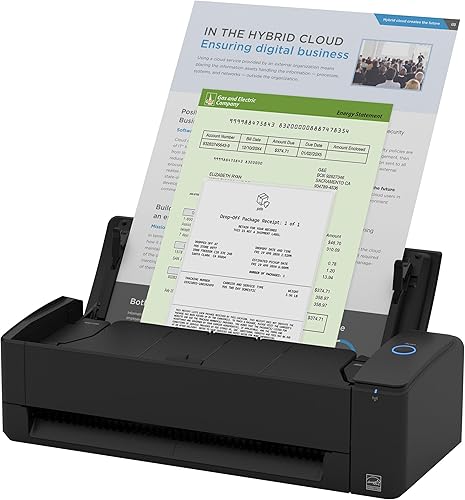
Which duplex scanners suit different home offices?
The iX2500 is the strongest fit for bigger batches, while compact feeders and portable designs suit smaller jobs or tighter desks. Match the feeder and connection to your normal routine.
ScanSnap iX2500: Best for larger home filing batches
- 45 ppm double-sided scanning
- 100-sheet document feeder
- Wi-Fi 6 and USB-C
- Touchscreen profiles
Its large feeder and touchscreen profiles suit households that scan batches of paperwork and want flexible wireless or USB connections.
Pros
- Largest feeder in this group
- Wireless or USB-C connection
- Touchscreen profiles
Cons
- Larger than the compact models
- Some home setups may not need its batch capacity
The ScanSnap iX2500 is the best fit here when large document batches and flexible connections matter. Its 100-sheet feeder is the largest in this group, and double-sided scanning is rated at 45 pages per minute.
Wi-Fi 6 lets you connect to smart devices or cloud services without a computer, while USB-C gives you a wired option. A touchscreen lets you select personalized profiles, which can help when different people in the home send scans to different places.
ScanSnap says the scanner can automatically optimize, name and sort files. Its multi-feed sensor and skew detection are designed to catch pages stuck together or entering at an angle.
Choose it if you scan stacks of household paperwork and want a large feeder. If you only scan a few pages at a time, a compact model may take up less space and cover your needs.
Epson WorkForce ES-400 II: Best for USB desktop document batches
- 50-sheet Auto Document Feeder
- Up to 35 pages per minute
- Searchable PDFs with OCR
- USB connection
A 50-sheet feeder and searchable PDF options suit regular document batches at a computer. It connects by USB.
Pros
- 50-sheet feeder
- Searchable PDF creation
- Automatic crop and blank-page removal
Cons
- USB connection only
- Takes more room than the compact picks
The Epson WorkForce ES-400 II suits a home office that scans regular paper batches from a computer. Its 50-sheet feeder and USB connection make it a straightforward desktop option when wireless scanning is not needed.
Epson states speeds up to 35 pages per minute for letter-sized scans at 300 dpi. The software can preview scans, email files, upload to cloud storage and create searchable PDFs with OCR.
Automatic crop, blank-page removal and background removal can reduce small cleanup steps. Double-feed detection and skew correction are designed to help catch feeding problems.
Pick it for USB desktop scanning and mid-sized batches. For more detail on feeder and workflow choices, see how to choose a document scanner.
ScanSnap iX1300: Best for small desks with wireless needs
- Up to 30 ppm duplex scanning
- Wi-Fi or USB
- 20-sheet feeder
- Compact footprint
Its compact footprint and Wi-Fi or USB connection suit a small desk. The feeder is sized for shorter batches than the larger desktop picks.
Pros
- Compact design
- Wi-Fi or USB
- Handles documents, photos and cards
Cons
- Smaller feeder than the batch-focused picks
- A 20-sheet feeder means more reloads for large stacks
The ScanSnap iX1300 is a better match when desk space is limited but you still want a feeder and wireless connection. It scans documents, receipts, photos and cards, and supports USB or Wi-Fi.
Its 20-sheet feeder is smaller than the ES-400 II and iX2500 feeders, so expect more reloads for a big filing session. ScanSnap rates duplex speed at up to 30 pages per minute, with automatic skew correction, color optimization and blank-page removal.
The compact design is intended to free up desk space while the scanner is in use. It can also send scans to computers, mobile devices and cloud services, and can be used without a computer.
Choose the iX1300 for a small home workspace and short batches. If receipts are your main job, our receipt scanner picks focus on that paper type.
Epson WorkForce ES-C320W: Best for compact wireless home scanning

- 20-sheet Auto Document Feeder
- Wi-Fi and USB
- Up to 30 pages per minute
- Scans paper, cards and passports
This compact scanner combines wireless and USB connections with a 20-sheet feeder for routine home paperwork in a tight workspace.
Pros
- Wireless and USB options
- Compact design
- Flexible scan path for several document types
Cons
- Smaller feeder than the 50- and 100-sheet picks
- Short batches may need reloading
The Epson WorkForce ES-C320W fits a home desk where wireless scanning and a compact body matter. It connects over Wi-Fi or USB and has a 20-sheet feeder for routine batches.
Epson says its vertical path position saves 60% of desk space compared with the ES-400 II with trays extended. Its single-step technology captures both sides, with speeds up to 30 pages per minute.
The scanner can send scans to smartphones, tablets, computers and cloud storage. Its flexible path also handles standard paper, cards and passports.
Choose it if you want wireless access but don't need a large feeder. For alternatives with wireless options, see our wireless scanners for home offices.
Epson WorkForce ES-C220: Best for compact USB scanning

- 20-sheet Auto Document Feeder
- USB connection
- Up to 30 ppm duplex scanning
- Automatic crop and skew correction
Its small design and USB connection fit a home desk where wireless scanning is not needed. Epson ScanSmart includes preview and OCR features.
Pros
- Compact design
- 20-sheet feeder
- Image adjustments include skew correction
Cons
- USB connection only
- Smaller feeder than the high-volume choices
The Epson WorkForce ES-C220 suits a small desk where a USB connection is enough. Its 20-sheet feeder is sized for short batches, and Epson ScanSmart includes preview, email, upload and OCR features.
It scans both sides in one pass at speeds up to 30 pages per minute. Image adjustments include automatic cropping, blank-page deletion, background removal, dirt detection and paper skew correction.
The scanner can handle standard paper, cards and passports using its flexible scan path. It shares a compact body size with the wireless ES-C320W, but this model connects by USB.
Choose it when you want a compact document scanner without Wi-Fi. For frequent large stacks, the iX2500 or ES-400 II offers a larger feeder.
Canon imageFORMULA R30: Best for plug-and-scan USB setup

- 60-sheet automatic feeder
- Up to 25 pages per minute
- Duplex scanning
- Embedded software
The 60-sheet feeder and embedded software suit home users who want a USB scanner without installing software first.
Pros
- 60-sheet feeder
- No software installation required
- Handles mixed batches of document types
Cons
- USB connection only
- Slower stated speed than several picks above
The Canon imageFORMULA R30 fits a home office that wants a large feeder and simple USB setup. Its automatic feeder holds 60 sheets, and the scanner captures both sides at up to 25 pages per minute.
Canon says its software is embedded in the device, so you can scan without installing software first. It connects to a computer with the supplied USB cable.
The R30 is designed to handle mixed batches, including documents, invoices, contracts and business cards. It can convert paper documents into searchable digital formats.
Choose it if you want a bigger feeder than the 50-sheet options and don't need Wi-Fi. If software compatibility matters, note that the R30 does not support TWAIN or ISIS drivers.
Brother DS-740D: Best for portable single-pass scanning

- Up to 16 ppm duplex scanning
- Powered by micro USB 3.0 cable
- Less than 1 ft long
- Windows, Mac and Linux support
This small, cable-powered scanner is easier to store or carry than a desktop feeder model. It scans both sides in one pass.
Pros
- Compact mobile design
- Scans both sides in one pass
- Works with Windows, Mac and Linux
Cons
- Lower stated speed than desktop picks
- No automatic document feeder
The Brother DS-740D is the portable pick for single-pass duplex scanning away from a permanent desk. It is less than 1 ft long and powered through its included micro USB 3.0 cable.
Brother rates scanning at up to 16 pages per minute for single- and double-sided documents. It connects locally by USB and supports Windows, Mac and Linux.
Its small format means it is not a desktop batch feeder like the other models here. Use it for occasional paperwork, business cards or receipts when storage space and portability matter more than speed.
Choose the DS-740D if you want a scanner you can put away or carry. For home filing sessions with a stack of pages, pick a feeder model instead.
Plustek PS186: Best for saved scan presets
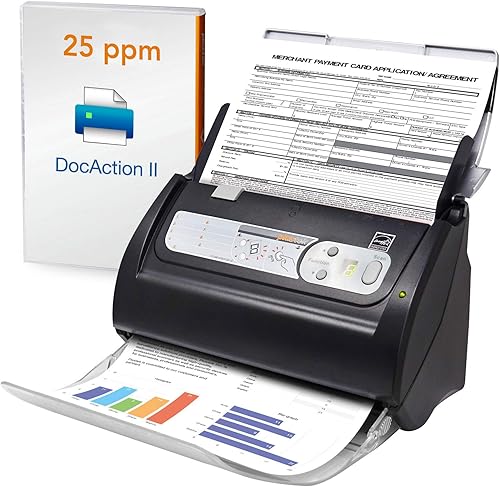
- 50-sheet feeder
- Up to 255 favorite scan settings
- Searchable PDF files with OCR
- USB connection
Saved scan settings and a 50-sheet feeder may suit a Windows household that repeats the same document workflow. Check system compatibility before choosing it.
Pros
- 50-sheet feeder
- Many customizable scan settings
- Searchable PDF and OCR functions
Cons
- Windows 7, 8 and 10 support is specified
- USB connection only
The Plustek PS186 is worth considering when repeatable scan presets are part of your routine. It can save up to 255 favorite settings and has a 50-sheet feeder for batches.
Its software includes OCR for searchable PDF files, along with automatic rotation, cropping, deskewing and blank-page removal. It connects by USB, and the stated system support is Windows 7, 8 and 10.
Those operating system details make compatibility a key check before you choose it. The PS186 may suit an older Windows setup, but a newer system should be confirmed first.
Choose it if presets and a larger feeder match your workflow and your computer is supported. Otherwise, consider one of the options with a more clearly specified current system range.
How we compared home duplex scanners
We compared feeder capacity, stated double-sided speed, connection types and features that affect everyday document handling. Our score weighs specs, features and buyer feedback against what you're shopping for.
A larger feeder can reduce interruptions when scanning a stack, while a compact scanner can be easier to keep on a crowded desk. Wi-Fi helps when you want mobile or cloud access, but USB may be all you need at a fixed workstation.
We also considered whether the scanner can help organize files through OCR, searchable PDFs, profiles or saved settings. These features matter most when you scan the same kinds of forms and records often.
What should you check before choosing a duplex scanner?
Choose a home duplex scanner by the pages you scan, the size of your batches and the connection you want to use. Feeder capacity and a fast speed claim matter less if you scan only a few pages each week.
How many pages do you scan at once?
A 20-sheet feeder suits shorter batches. For a larger household filing session, compare models with 50-, 60- or 100-sheet feeders to reduce reloads.
A portable manual-feed scanner can be easier to store, but you will feed pages one at a time. That's a useful trade when portability matters more than batch speed.
Will you scan from a computer or over Wi-Fi?
USB scanners fit a fixed desk and a single computer. Wi-Fi options can send scans to mobile devices or cloud services, depending on the model and software.
Check the computer or mobile system requirements before buying. A scanner that fits your paper workflow still needs to work with the devices you plan to use.
What will you scan besides sheets of paper?
Some models handle cards, receipts or passports as well as standard paper. Check the supported document types if your home office includes mixed materials.
For old prints, a document feeder may not be the right tool. Our scanner guide for home use compares photo and document scanner types.
Which home duplex scanner should you choose?
Choose the iX2500 if you scan large batches and want Wi-Fi 6 or USB-C, or the ES-400 II if a 50-sheet feeder and computer-based USB workflow suit you. For small desks, compare the iX1300 and ES-C320W; for portable one-at-a-time scanning, choose the Brother DS-740D.
If you mostly scan receipts and tax papers, see our guide to receipt scanners before deciding. For other household paperwork, the best duplex scanner for home use is the one that matches your usual batch size and connection needs.
Our top 3 picks at a glance
-
1
-
2
-
3
Frequently asked questions
What is a duplex scanner?
A duplex scanner captures both sides of a sheet in one pass. That saves you from turning pages over and feeding them through again.
For a closer explanation of the term and when it matters, see our guide to what a duplex scanner is.
Is a duplex scanner useful for home use?
A duplex scanner helps when you regularly scan two-sided bills, forms, tax papers or other records. If most pages are single-sided, a basic scanner may be enough.
Consider how often you scan and how much room you have for a feeder before paying for extra capacity.
How large a feeder should a home scanner have?
Choose a feeder based on the size of your usual batches. A 20-sheet feeder can handle short stacks, while a 50- or 100-sheet feeder means fewer reloads for larger groups.
A portable manual-feed scanner may suit occasional pages better than keeping a desktop feeder on your desk.
Do duplex scanners need Wi-Fi?
No. USB works well when you scan from one computer.
Wi-Fi can help when you want to place the scanner away from your computer or send scans to mobile devices, depending on the model.
Check that its connection options fit your devices and workflow.
Can a document feeder scan photos?
Some document feeders can scan photos, but a feeder is designed around paper handling. For delicate or valuable prints, a flatbed can let you place each photo by hand.
See our plain guide to scanner types for home use to compare document and photo scanning.


