Epson vs ScanSnap Scanners: Which Is Better? (November 2026)
Pick Epson for photos and ScanSnap for fast office paperwork. In this Epson vs ScanSnap scanners comparison, the Epson FastFoto FF-680W wins overall for most homes because it handles photo piles and documents, while the ScanSnap iX2500 is the better desk scanner for pure paper volume.
On this page (11 sections)
- Epson vs ScanSnap scanners: which brand should you buy?
- Epson vs ScanSnap for photos and prints
- Epson vs ScanSnap for document speed and feeders
- Epson vs ScanSnap for software and cloud workflow
- Epson vs ScanSnap for portability and desk space
- Epson vs ScanSnap for flatbed and single-sheet work
- Epson vs ScanSnap for price tier and running costs
- Which Epson scanner fits your home?
- Which ScanSnap scanner fits your desk?
- Who should buy which brand?
- Verdict: Epson or ScanSnap?
Pick Epson for photos and ScanSnap for fast office paperwork. In this Epson vs ScanSnap scanners comparison, the Epson FastFoto FF-680W wins overall for most homes because it handles photo piles and documents, while the ScanSnap iX2500 is the better desk scanner for pure paper volume.
Epson sells scanners built around photos first. ScanSnap builds document machines that turn stacks of paper into sorted, searchable files.
Which brand suits you depends on what sits in the box you want to clear.
We compared the specs of 4 models across both brands. These are the differences that change the buying decision.
Epson vs ScanSnap scanners: which brand should you buy?
Epson is the better pick for photo collections and mixed household jobs, and ScanSnap is the better pick for a paper-heavy desk. The split is about the job in front of you, not about which brand makes better hardware.
Epson's photo strength shows in the FastFoto FF-680W. It scans up to 36 photos in one batch and Epson rates it at about one photo per second at 300 dpi.
It also handles double-sided documents at up to 45 ppm, so one machine covers both piles.
ScanSnap's strength is the iX2500. A 100-sheet feeder and 45 ppm duplex speed are built for long document runs.
The touchscreen profiles and automatic naming suit someone who scans paperwork every week.
Our score weighs specs, features and buyer feedback against what you're shopping for. The FF-680W leads at 9.2, the iX2500 follows at 9.1, and the two Epson and Canon portables trail at 8.5 and 8.
| Feature | Epson FastFoto FF-680W | ScanSnap iX2500 |
|---|---|---|
| Main job | Photos and documents | Documents and business cards |
| Feeder | Photo and document, up to 36 photos | 100 sheets |
| Speed | About 1 photo per second; up to 45 ppm duplex | 45 ppm duplex |
| Connection | Wi-Fi and USB | Wi-Fi 6 and USB-C |
| Resolution | 600 dpi | 600 dpi |
| Controls | Epson FastFoto app and ScanSmart | Large touchscreen with profiles |
Epson vs ScanSnap for photos and prints
Epson wins on photos by a wide margin. The FF-680W is the only model here built to feed a stack of prints, and it does more than capture an image.
The feeder batch-scans up to 36 photos at a time. Epson lists support for Polaroid photos, panoramas, postcards and prints up to 8 x 10 in.
A carrier sheet and microfiber cloth come in the box for delicate prints.
Its imaging tools matter as much as speed. Auto enhancement, color restoration, red-eye reduction, de-skew, crop and rotate help bring old photos back to life without manual fixes.
Single-step scanning captures the front of a photo and any handwritten note on the back in one pass. That's a real time saver when you're sorting family boxes with notes on the reverse.
The Epson FastFoto app adds voice and text notes to scans and builds slideshows on your phone. It also sets up Wi-Fi quickly.
The FF-680W can auto-upload and back up to Dropbox and Google Drive as you scan.
ScanSnap's iX2500 handles documents, receipts, photos and business cards, and it optimizes and sorts the files. It just isn't the tool for a shoebox of prints.
If photos are the priority, the Epson is the answer.
Epson vs ScanSnap for document speed and feeders
ScanSnap wins on document throughput; Epson stays close and adds photo duty. The feeder is the main gap between the two flagships.
The iX2500 holds 100 sheets and scans double-sided documents at 45 pages per minute. The FF-680W scans documents at up to 45 ppm and 90 images per minute in duplex, but its feeder is set up for photo batches first.
That 100-sheet capacity means fewer reloads in a long session. It suits a home office with monthly filing, tax packets or client paperwork.
The FF-680W's 10-sheet capacity and 36-photo batch suit smaller, more varied jobs.
ScanSnap also builds in paper protection. A brake roller feeds paper smoothly, a multi-feed sensor catches pages stuck together, and skew detection helps prevent damage.
Those features matter when you feed a 100-page stack unattended.
Both machines scan at 600 dpi optical and both include OCR. Epson ScanSmart converts scans into readable text, while the ES-50's Nuance OCR also creates editable Word and Excel files.
ScanSnap makes text searchable and files automatically named and sorted.
For a pure paper pipeline, the iX2500's feeder size and sensors are the practical edge. For a home that scans both photos and documents, the Epson's flexibility is worth more.
Epson vs ScanSnap for software and cloud workflow
ScanSnap's software is more automated; Epson's is friendlier to photo projects. The better fit depends on whether you want a hands-off filing system or creative control.
The iX2500 runs named profiles from its touchscreen. You set up a job once, then tap it to send scans to a PC, Mac, mobile device or cloud.
The Quick Menu lets you scan and drag files straight into desktop apps.
ScanSnap Cloud goes further. It sends scans to a cloud service without a computer, using built-in Wi-Fi 6.
That's useful in a shared office where no laptop sits next to the scanner.
Epson's software centers on Epson ScanSmart. It handles review and save steps, and OCR converts scans into readable text for searchable files.
The FastFoto app is where the photo extras live.
Those photo extras include voice and text overlays and phone-made slideshows. For anyone digitizing family photos, that's a feature ScanSnap doesn't match.
If your goal is a tidy digital filing cabinet with minimal clicks, ScanSnap's automation is ahead. If your goal is to save and share photo memories with context, Epson's tools do more.
Epson vs ScanSnap for portability and desk space
Epson offers the smallest and lightest option in this group, but ScanSnap is the better fixed desk machine. Portability and desk presence pull in opposite directions.
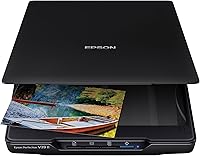
The WorkForce ES-50 weighs 9.44 ounces and measures 10.7 x 10.7 x 1.3 inches. It runs from USB only, with no battery or power supply, and scans a single page in as fast as 5.5 seconds.
That makes it the travel pick for receipts and contracts.
The FF-680W weighs 8.2 pounds and measures 11.7 x 11.7 x 6.9 inches. It's a desk machine you set down and leave, not one you slip into a bag.
The iX2500 weighs 7.7 pounds at 6.26 x 11.5 x 6.34 inches. It's lighter than the FF-680W but built to stay put next to a monitor.
Its large touchscreen and 100-sheet feeder take up room.
If desk space is tight, a flatbed may fit better. Our comparison of a flatbed scanner vs printer scanner covers when a slim flatbed makes more sense than a feeder model.
Epson vs ScanSnap for flatbed and single-sheet work
Neither flagship is a flatbed, so odd-shaped items need a different model. Bound books, thick cards and fragile clippings won't feed through either document scanner.
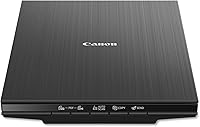
The Canon CanoScan LiDE 300 is the flatbed option in this group. It scans at 2400 x 2400 dpi optical, stands about 1.7 inches tall, and Canon says a page takes roughly 10 seconds.
Four EZ buttons handle PDF, copy, send and auto scan.
Its Auto Scan Mode detects what's on the glass and sets itself. A built-in PDF button saves editable, searchable PDFs through OCR, and Send to Cloud uploads to OneDrive or Dropbox.
For a small pile of single photos or a few pages that can't be fed, this flatbed is the practical pick. It's also the cheapest way into scanning if you only need occasional pages.
Our Canon LiDE 300 vs 400 comparison shows when the step-up model earns its place.
The trade-off is speed and volume. One page at a time won't clear a filing cabinet.
If you need both flatbed and feeder work, plan for two devices or accept slower going.
Epson vs ScanSnap for price tier and running costs
ScanSnap and the Epson photo flagship sit in the premium tier; the portables are budget-friendly. Price tier tracks the job each machine is built to do.
The FF-680W and iX2500 are both premium machines aimed at people who scan often. Their feeders, sensors and software reflect that.
Neither is an impulse buy for occasional use.
The ES-50 and LiDE 300 are budget-friendly. The ES-50 has no battery or power supply to replace and runs from USB.
The LiDE 300 runs from USB too, so neither adds running costs beyond the cable.
Power draw varies across the group. The FF-680W is rated at 680 watts, the iX2500 at 17 watts and the LiDE 300 at 4.5 watts.
The ES-50's 2.1 watts reflects its single-sheet design.
The real ongoing cost is your time. A slow single-sheet scanner used on a big pile takes hours.
A feeder machine clears it in minutes. Buy for the volume you'll actually scan.
Which Epson scanner fits your home?
The Epson FastFoto FF-680W is the Epson to buy for most homes, and the ES-50 covers travel. Two very different machines, two very different jobs.
The FF-680W suits anyone with photo boxes and paperwork in the same house. Its photo batch, restoration tools and duplex document speed make it the only scanner many homes need.
It also connects by Wi-Fi or USB and backs up to Dropbox and Google Drive.
The ES-50 suits someone who scans a few receipts and contracts on the move. Its USB power and single-sheet feed keep it light.
It won't clear a desk pile, so pair it with a feeder machine if volume grows.
If you also want a flatbed, add the LiDE 300 rather than replacing the Epson. The flatbed covers books and fragile items that a feeder can't take.
Which ScanSnap scanner fits your desk?
The ScanSnap iX2500 is the ScanSnap to buy for a busy home office. It's the upgraded replacement for the discontinued iX1600, with more speed and a bigger screen.
Its 100-sheet feeder, 45 ppm duplex speed and Wi-Fi 6 make it a set-and-forget paper machine. Named profiles on the touchscreen suit weekly filing, and the Quick Menu drags scans into desktop apps.
The paper protection features are a genuine plus for long stacks. The brake roller, multi-feed sensor and skew detection help stop jams and damage before they cost you a document.
If you need a smaller ScanSnap, our ScanSnap iX1300 vs iX2400 comparison covers the compact models. They trade feeder size for desk space.
Who should buy which brand?
Buy Epson for photos, a flatbed option and travel; buy ScanSnap for automated document filing. Match the brand to the pile you scan most.
Choose the Epson FastFoto FF-680W if you have family photos to digitize and documents to file. It's the best overall pick here for that mix, and its 9.2 score reflects the photo features that no ScanSnap here offers.
Choose the ScanSnap iX2500 if paperwork dominates and you want automation. Its 9.1 score comes from the feeder size, Wi-Fi 6 and touchscreen profiles.
A high-volume office will feel the difference first.
Choose the Epson WorkForce ES-50 if you scan away from home. It's the lightest and smallest option and needs no power supply beyond USB.
Choose the Canon CanoScan LiDE 300 if you need a flatbed for books and single prints. It's the best low-cost way to add glass to your setup.
If you're weighing Epson against its other big rival, our Brother vs Epson scanner comparison covers that matchup. For a broader view of the brand lines, start with the scanner matchups category.
Verdict: Epson or ScanSnap?
The Epson FastFoto FF-680W wins overall for most readers, and the ScanSnap iX2500 wins for a paper-heavy office. The Epson vs ScanSnap scanners decision comes down to photos versus paperwork.
Pick the Epson FF-680W if your scans include prints. The 36-photo batch, restoration tools and duplex document speed make it the most useful single scanner for a home.
Pick the ScanSnap iX2500 if you file documents every week. The 100-sheet feeder, Wi-Fi 6 and touchscreen profiles keep a paper pipeline moving without a computer nearby.
Pick the ES-50 or the LiDE 300 only as a second scanner for travel or flatbed jobs. Neither replaces a feeder model for volume.
For most homes with a mix of photos and paper, Epson's photo-first design is the better fit. For a desk buried in documents, ScanSnap's automation earns its place.
Frequently asked questions
Is Epson or ScanSnap better for scanning photos?
Epson is the better photo choice here. The FastFoto FF-680W scans up to 36 prints in a batch at about one photo per second, while the ScanSnap iX2500 is set up for paper documents, receipts and cards rather than loose photo piles.
Do ScanSnap scanners need a computer?
The iX2500 doesn't need one for cloud jobs. ScanSnap Cloud sends scans straight to a cloud service over Wi-Fi 6, though you'll still connect a computer or mobile device for local saves and setup.
How fast is the Epson FastFoto FF-680W for documents?
Epson rates the FF-680W at up to 45 pages per minute and 90 images per minute in duplex. That makes it quick on double-sided paperwork as well as photos, so it can serve as the only scanner in a small home office.
Can the Epson WorkForce ES-50 scan receipts?
Yes. The ES-50 takes pages up to 8.5 x 72 inches and Epson says it digitizes receipts and ID cards.
It feeds one sheet at a time from a USB connection, so it's best for occasional receipts on the move rather than a desk full of paper.
Which brand has better scanner software?
They aim at different jobs. Epson ScanSmart includes OCR for searchable PDFs and editable Word and Excel files, and the FastFoto app adds voice and text notes to photos.
ScanSnap's software optimizes, names and sorts files automatically and runs named profiles from the touchscreen.